

POS for restaurants, cafés and bars
Serve faster. Sell more.
A till, phone terminals for waiters, a kitchen display and an owner view — one system, fully in Macedonian. See what the real screens look like, then book a demo.
- The till and kitchen run on a local server in your venue
- Fully in Macedonian
- Fiscal receipts through your fiscal device
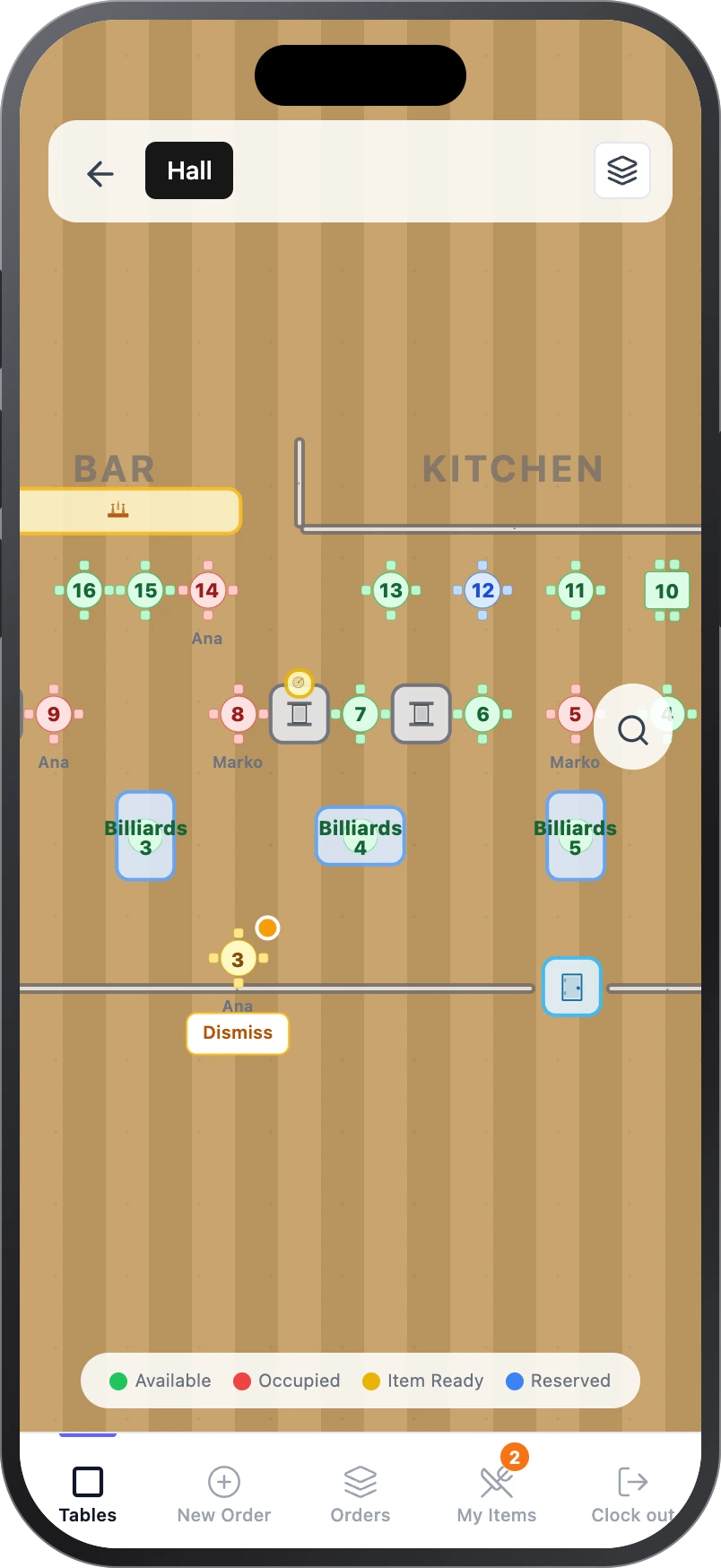
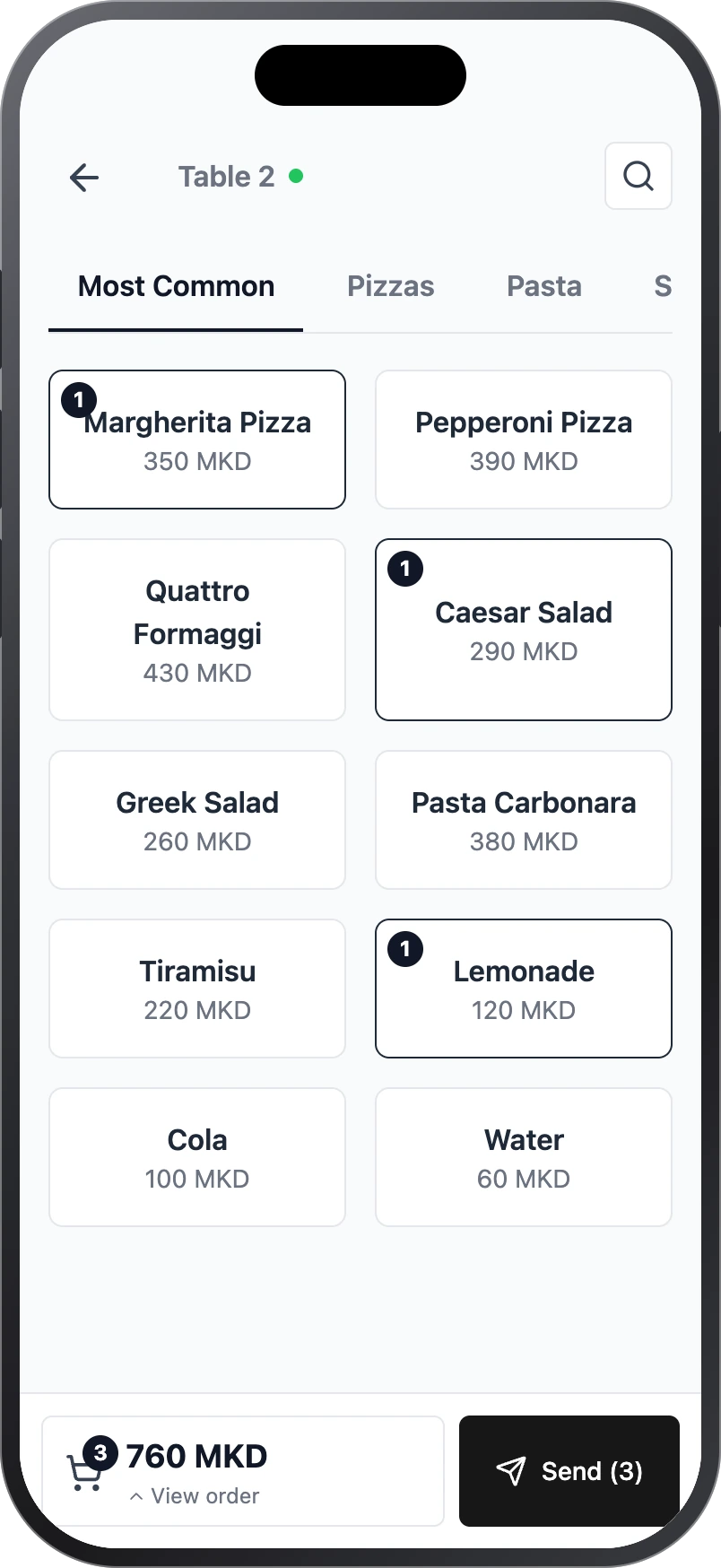
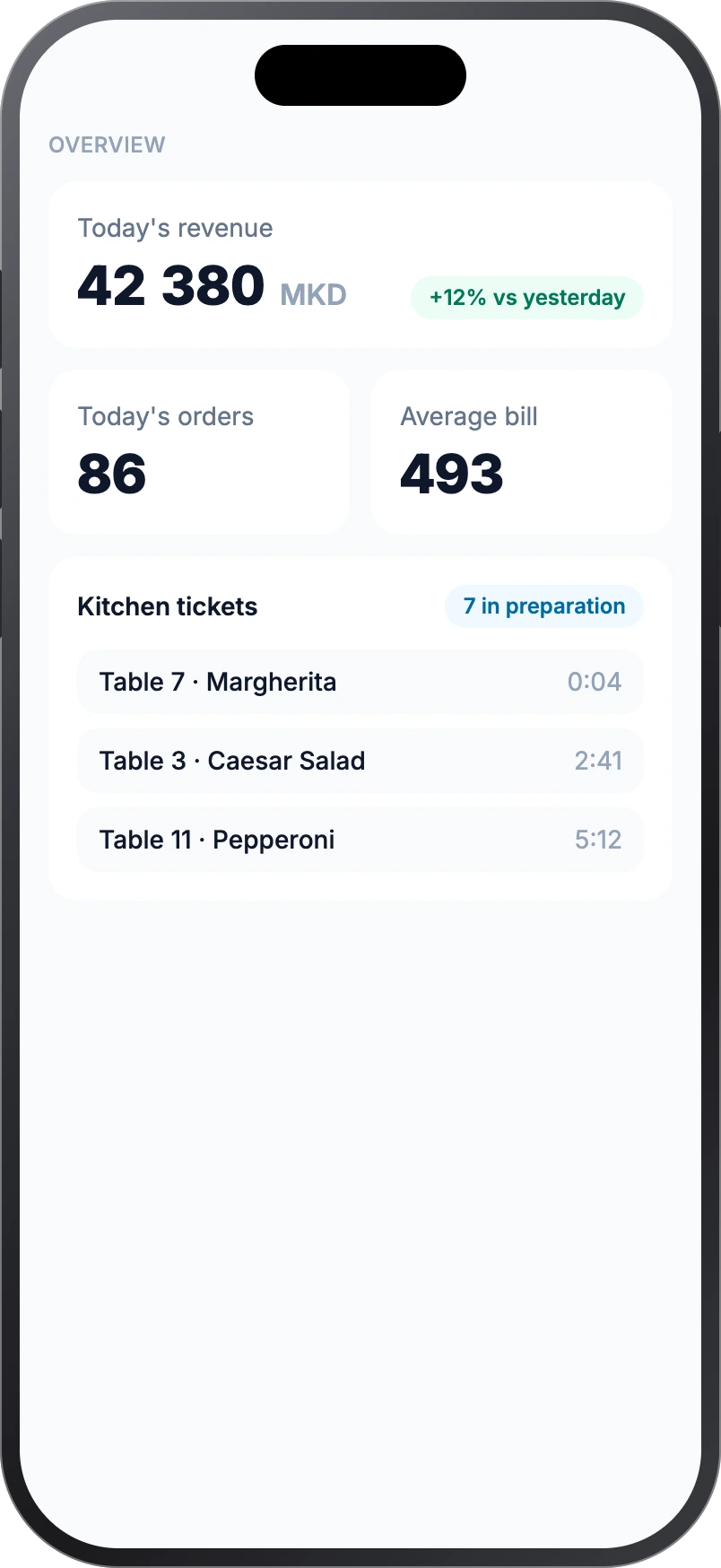
The screens come from the real system; names, items and amounts are illustration.
One system
One system for the whole venue
Every part works together: one order — everyone sees only what concerns them.
From table to bill
Follow one order
No re-typing and no running between till and kitchen: each step is seen by exactly the person who needs it.
- 1
Order
The waiter on a phone, or the guest with a QR code
- 2
Kitchen and bar
A ticket on a screen and on a printer
- 3
Ready
The waiter sees what's ready to serve
- 4
Payment
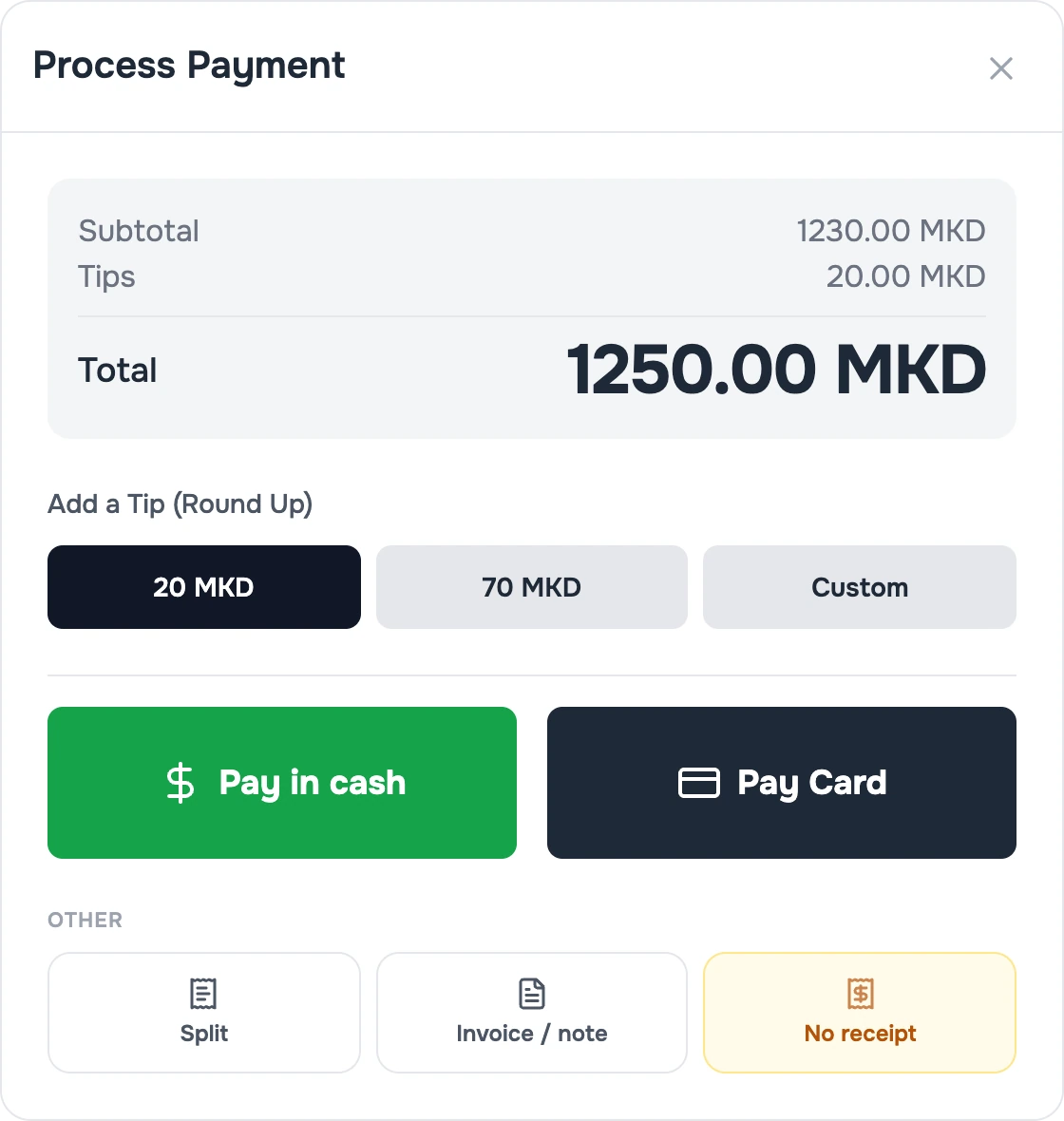
Cash, card, or the bill split
- 5
Fiscal receipt
Through your fiscal device
- 6
Overview
The owner sees revenue and orders live
What you get
The essentials, on real screens
Six things owners ask for first. The full list is on the Features page.
Phone terminals
Every waiter, with their own phone
The same system as at the till — in a pocket.
- Order at the table, without running to the till and back.
- See the floor map live: free tables, occupied ones and tables with a ready item.
- Send straight to the kitchen with “Send”.
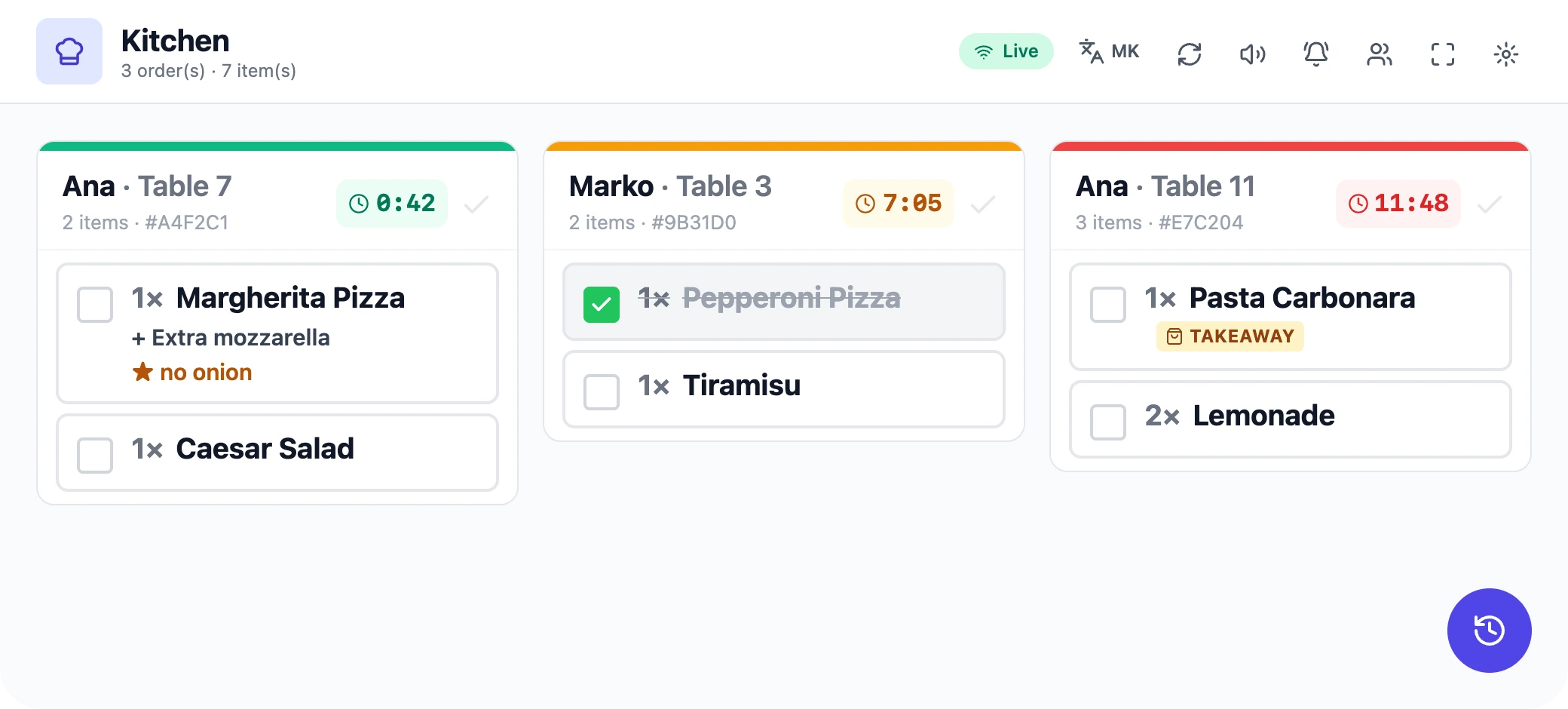
Kitchen and bar
A kitchen without shouting
Each station sees only its own part.
- A screen per station (kitchen, bar…) with a timer per ticket.
- “Mark ready” — the waiter is notified straight away.
- If a printer fails, the system retries and tells you.

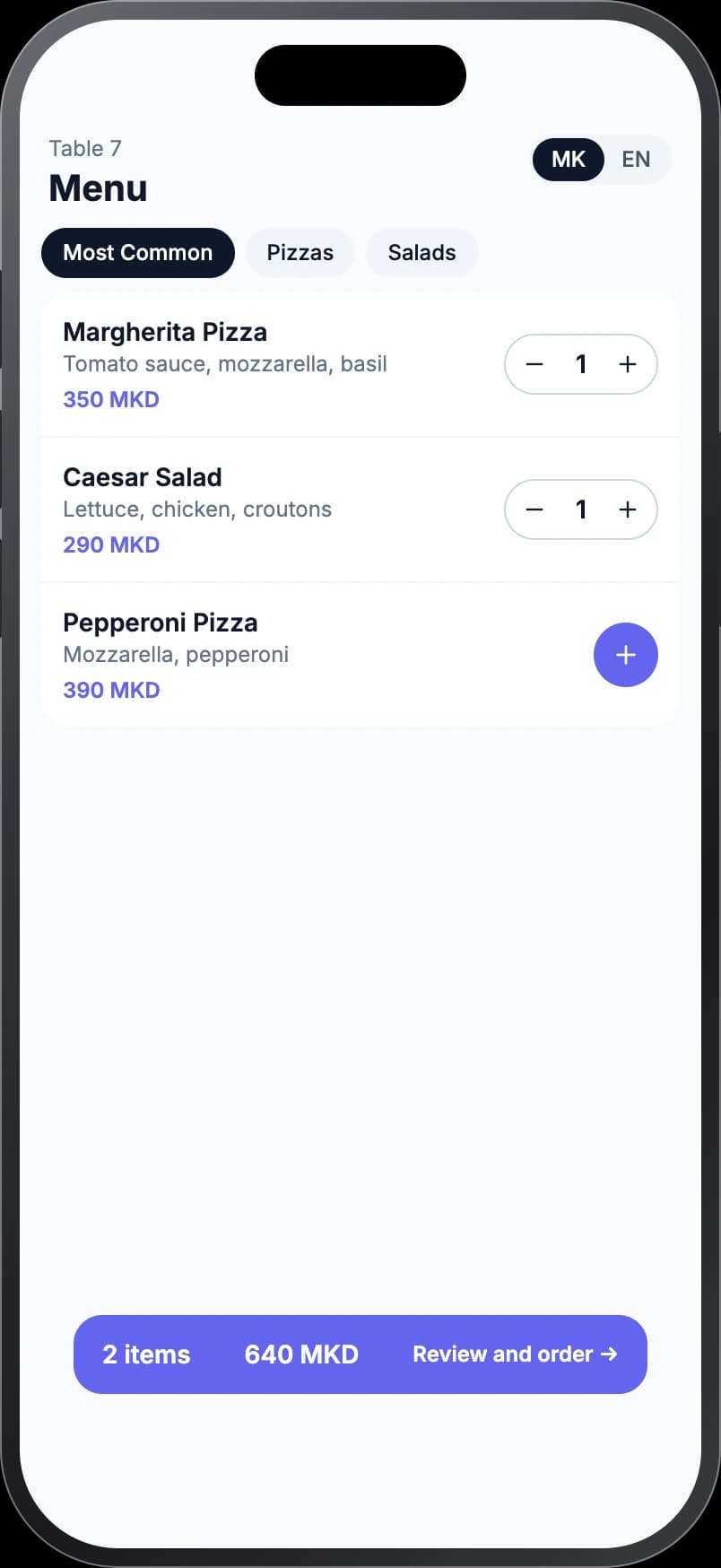
QR ordering · on request
Guests order from the table
No app, in Macedonian or English.
- The guest scans a QR code and orders from their phone.
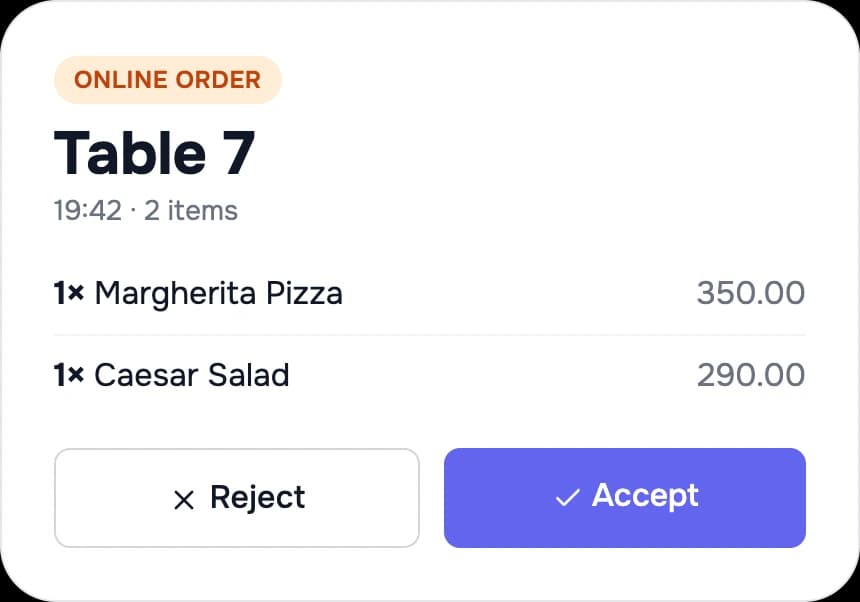
- Staff accept or reject the order — you stay in control.
- They ask the waiter for the bill. Switched on for your venue on request.
For the owner
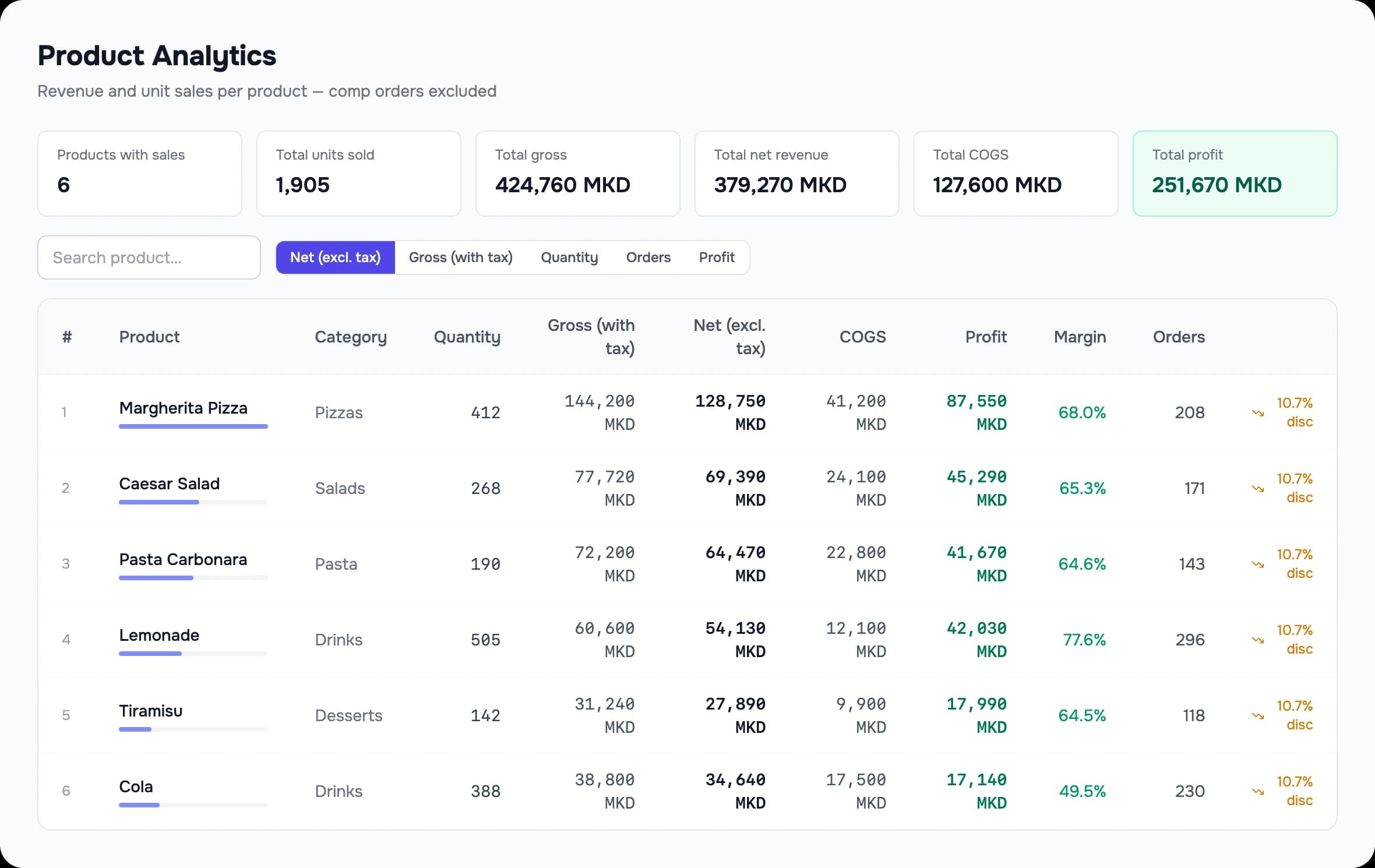
The whole venue on your phone
Revenue, orders and average bill today — against yesterday.
- Kitchen tickets: what is being cooked right now, by table and waiter.
- What sells and what doesn't — with margin per product.
- Change prices and menus from your phone: the change reaches the terminals.
Stock and purchasing
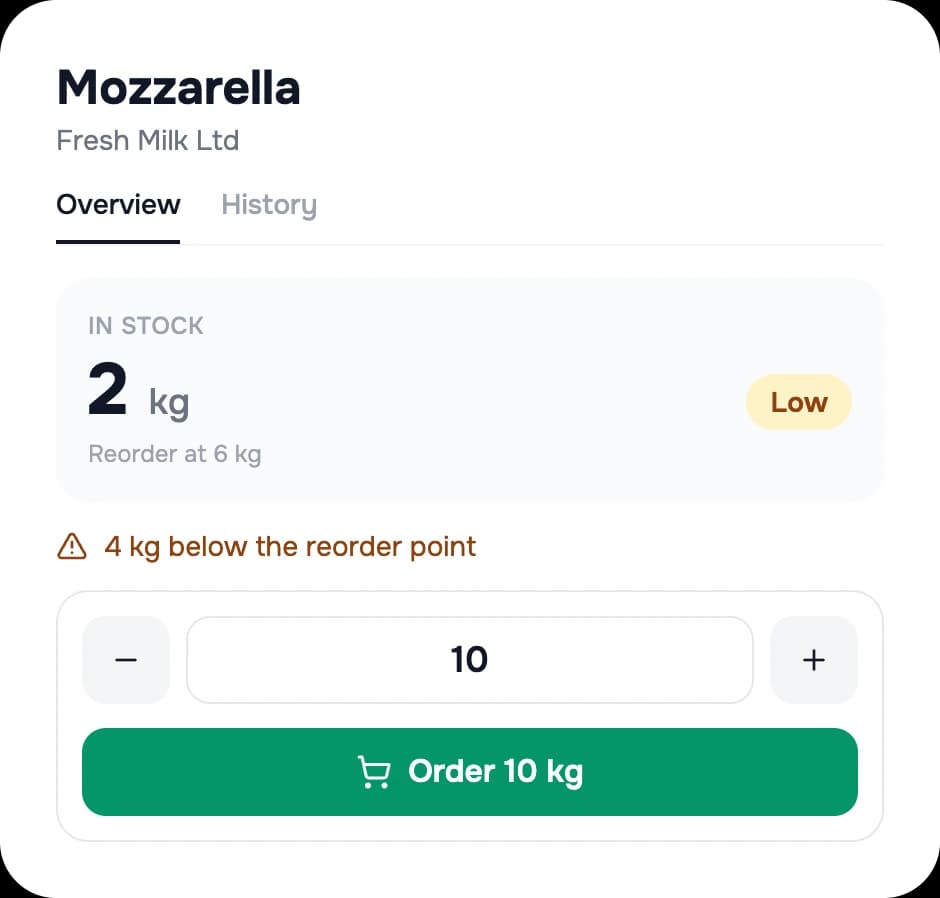
Know what's on the shelf
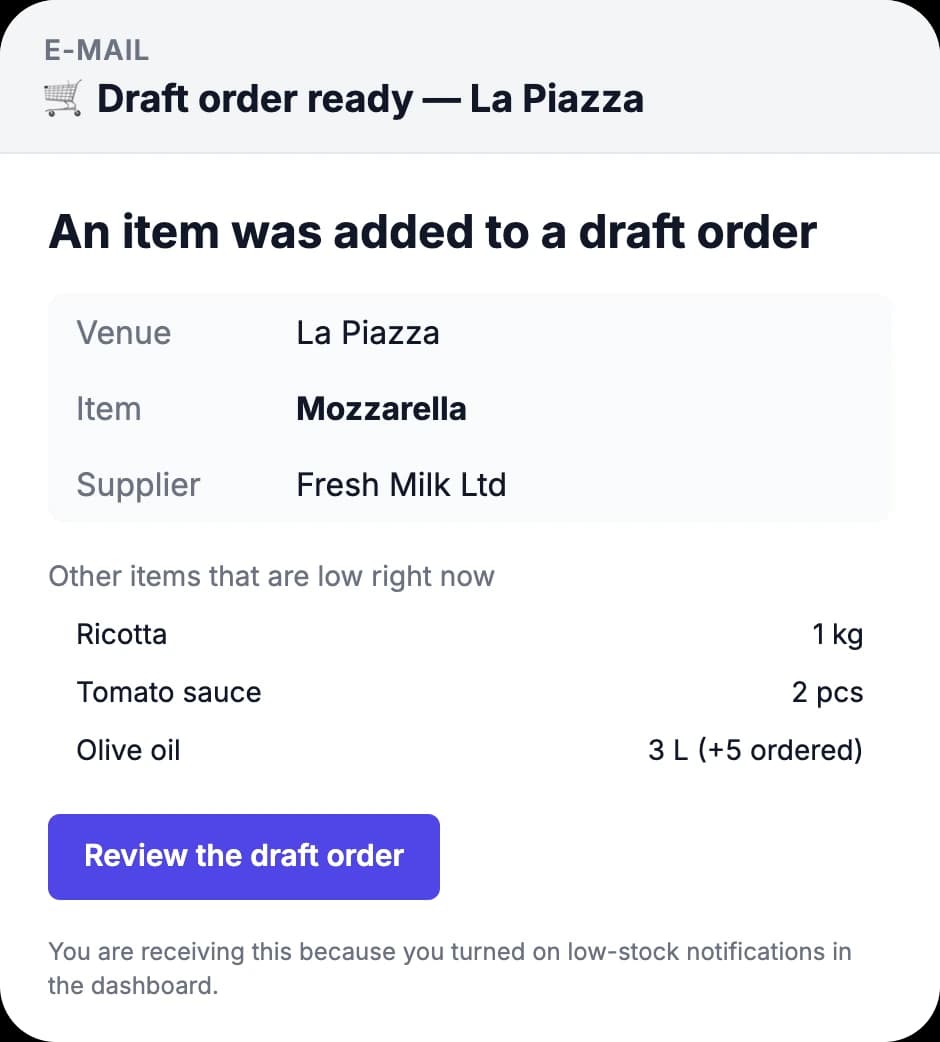
From scanning a barcode to a draft order for the supplier.
- Scan a barcode — with a scanner or a phone camera — and see how much is left.
- Running low? Reorder with one tap — it becomes a draft order.
- An e-mail when an item reaches its threshold.
Built for Macedonia
Fiscal and VAT — handled
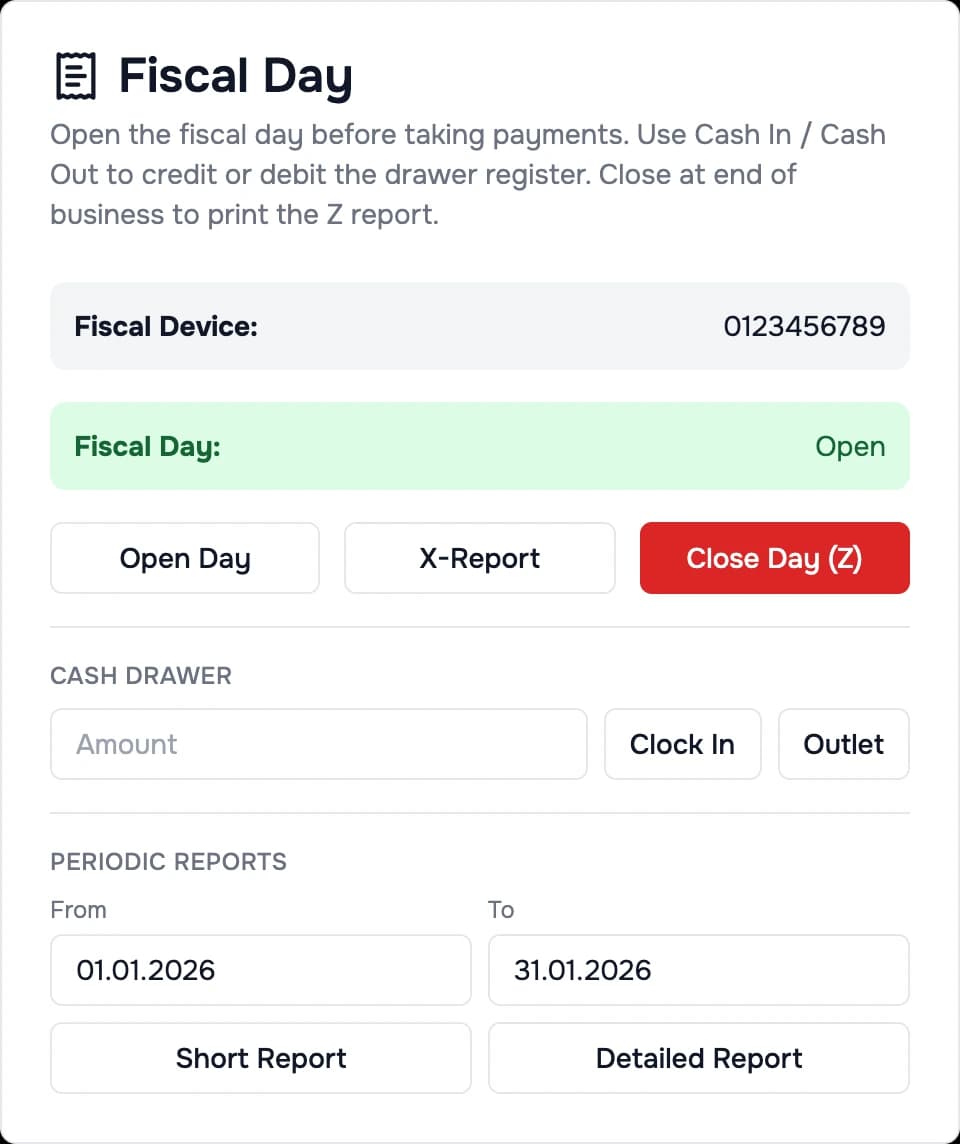
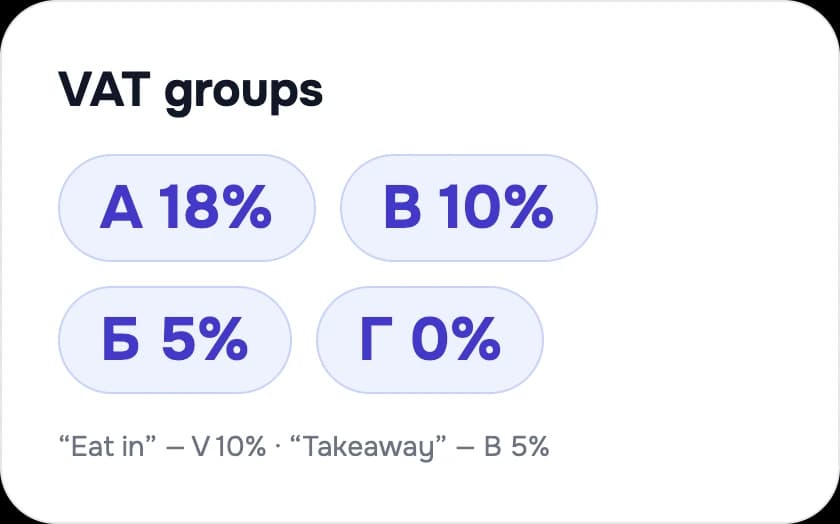
Receipts, the daily close and tax — inside the system.
- Fiscal receipts through your fiscal device; X and Z reports in “Fiscal Day”.
- A different VAT rate for “eat in” (V 10%) and “takeaway” (B 5%).
- Invoices and delivery notes with their own numbering.
The screens come from the real system; names, items and amounts are illustration.
How we start
We do the setup
You send us the material, we set the system up — and you decide whether to continue.
- 1
You send us
Your menu — in any format — and your table layout.
- 2
We enter
We enter all your products and set up the floor.
- 3
Try it free
You use the system in your venue.
- 4
You decide
No contract that binds you. Cancel with 15 days' notice.
Setup costs you nothing.
Book a demoPartnership
We're not a call centre. We're your developer.
We build and support Mesa ourselves — locally, in Macedonian. Tell us what you need, and we build it.
- Built and supported here, in Macedonian
- Ask for a change, and we build it
- You talk to a real person, in your language
- The system adapts to your business — not the other way round
Comparison
Where Mesa is different
Fiscal receipts and working when the internet drops are what you expect from any POS. The difference is the rest.
Run the business from your phone
Mesa
Overview, and menu and price changes, from a phone
Often elsewhere
A paid add-on, or limited
QR ordering at the table
Mesa
On request for your venue
Often elsewhere
Often a separate service
Someone builds what you ask for
Mesa
Yes — the developer is local
Often elsewhere
A fixed product
Support
Mesa
In Macedonian, from the people who build it
Often elsewhere
Often a foreign call centre
Pricing
A price shaped to your venue.
A monthly subscription based on what you actually use — no fixed packages that don't fit. Setup costs you nothing.
Devices
How many tills, kitchen screens and mobile devices you activate.
Modules
Which features you need — stock, reservations, QR ordering, multiple venues.
Venues
One venue or a chain — all under one account.
FAQ
Frequently asked questions.
Does it work if my internet goes down?+
The till, the kitchen display and printing run through a local server in your venue, so you keep selling when the internet drops. QR ordering and remote viewing use the internet; data syncs as soon as the connection returns.
Is it compliant with local fiscal rules?+
Fiscal receipts are issued through your fiscal device, and the X and Z reports are in “Fiscal Day”. We confirm whether your device is supported before the quote.
How much does it cost?+
A monthly subscription based on the devices, modules and venues you use — you get the price in a quote shaped to your venue. Setup costs you nothing.
Can I try it before committing?+
Yes. We enter your products and you try it free in your venue. There is no contract that binds you; cancelling takes 15 days' notice.
Can I ask for a feature that doesn't exist yet?+
Yes — that's the whole point of a local developer. Tell us what you need.
Do QR orders cost extra?+
QR ordering is a module switched on for your venue on request; its price is part of the quote shaped to your venue.
Demo
See it work on your own menu.
Book a free demonstration and we'll show you exactly how it fits your venue.
- Web
- mesa.mk
- Phone
- 078 246 666