
Walkthrough
From table to bill — on real screens
Follow one order through the whole system. Every screen is from the real Mesa; names, items and amounts are illustration.
01The till
A home screen with everything for the shift
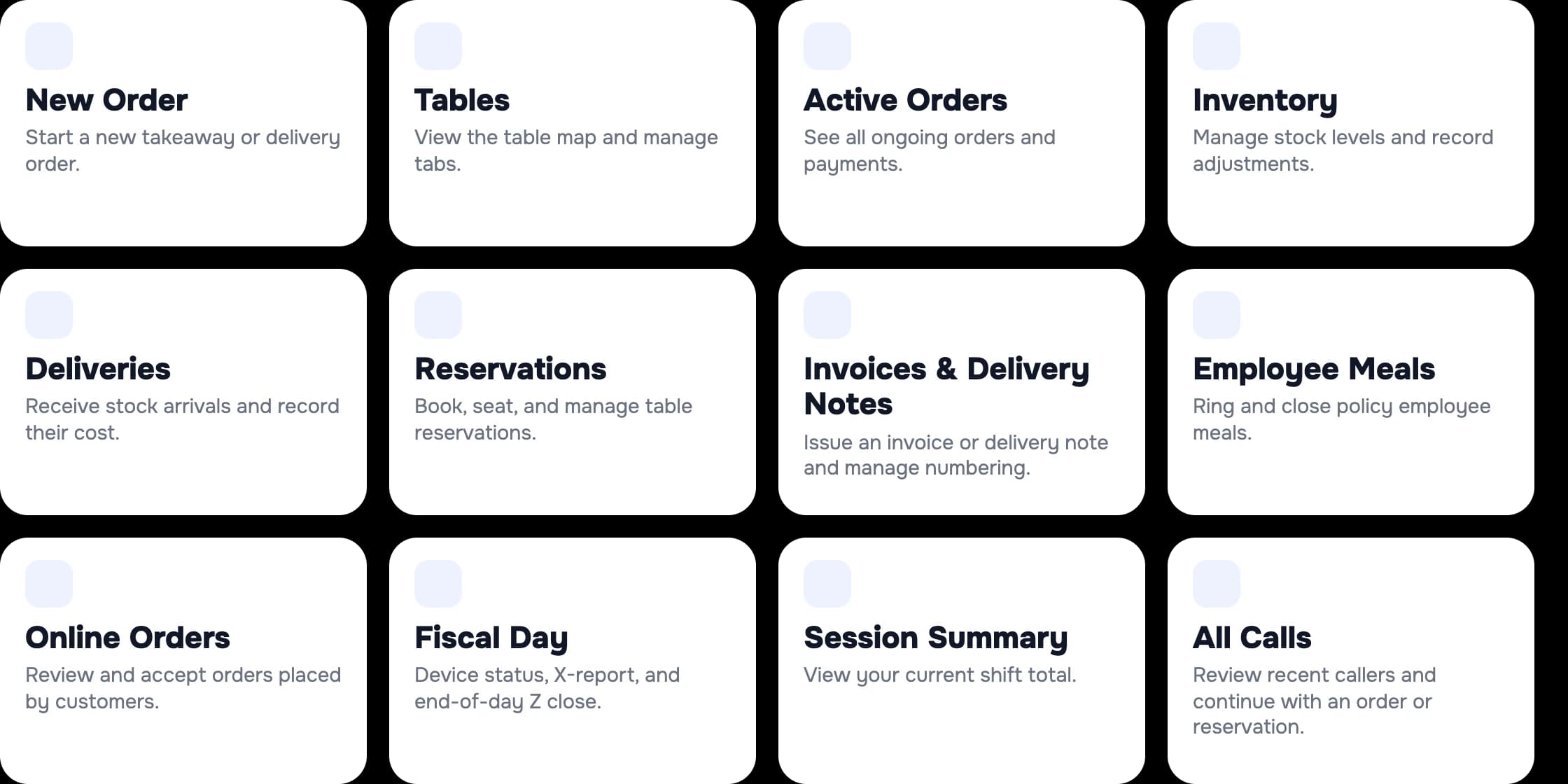
The till opens the day: everything you need is on one screen.
- Tables, orders, inventory, deliveries and reservations — in one place.
- Each employee sees only what they're allowed to — by role, with a tag or a PIN.
- Shift sign-in, hand-over and the fiscal day in one tap.
Good to know: The tiles depend on the employee's role and on the modules switched on.
02Table and order
The waiter orders from a phone
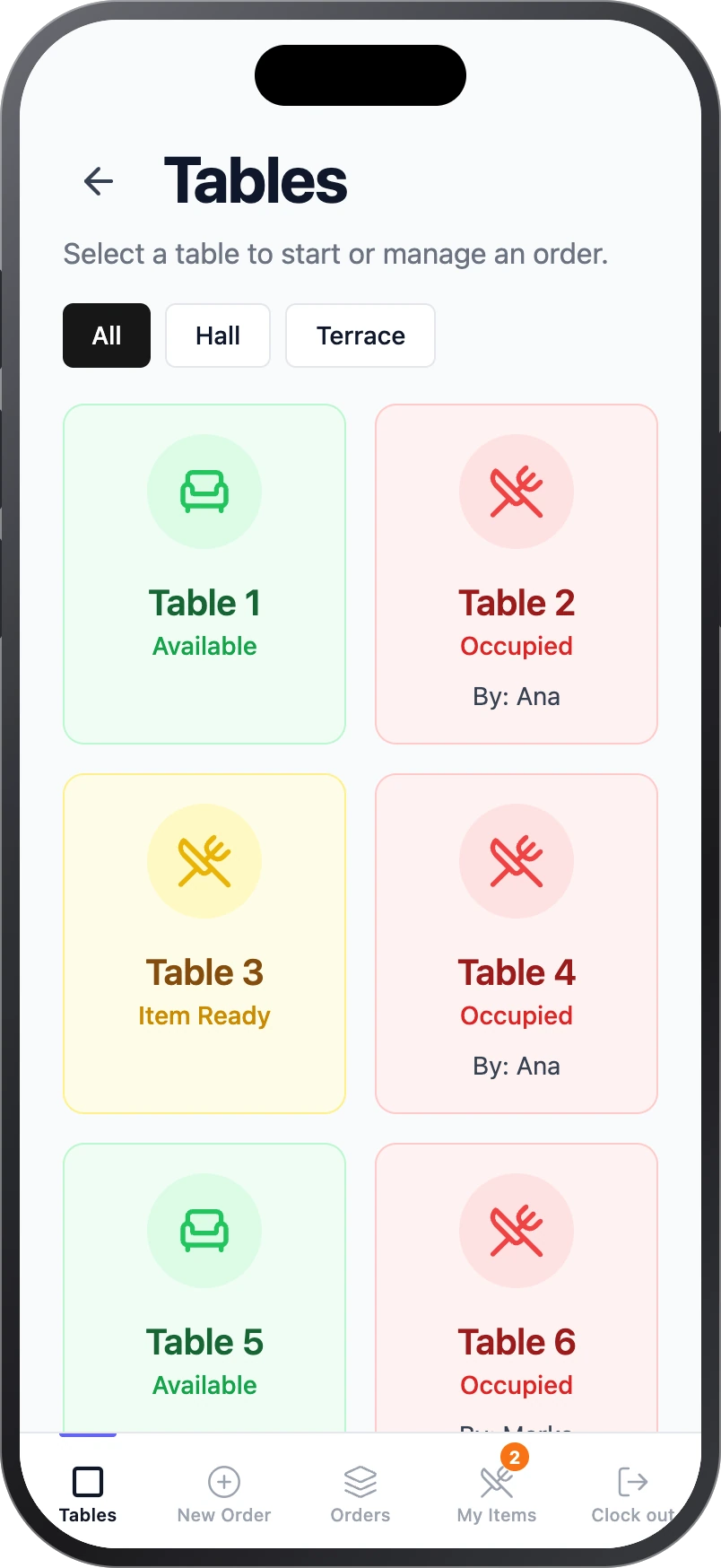
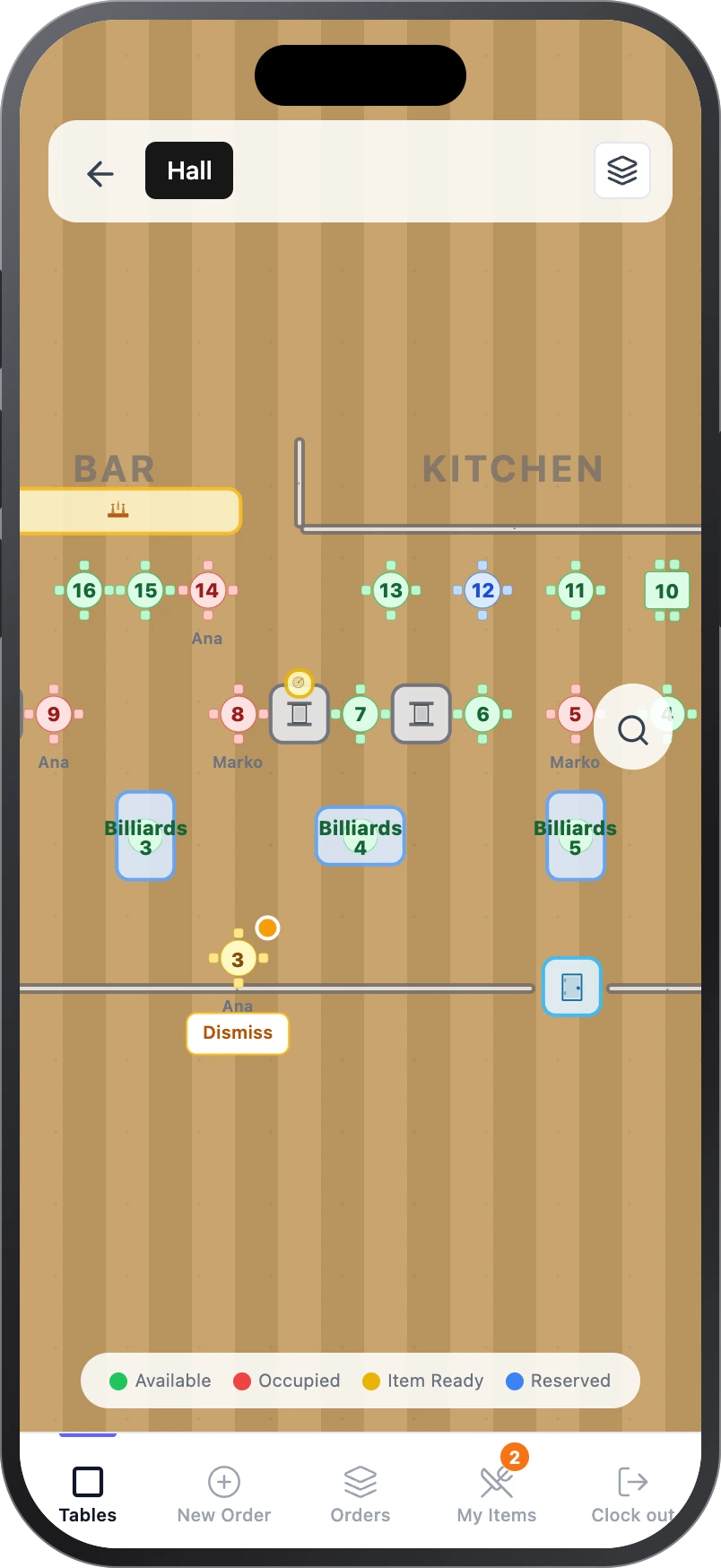
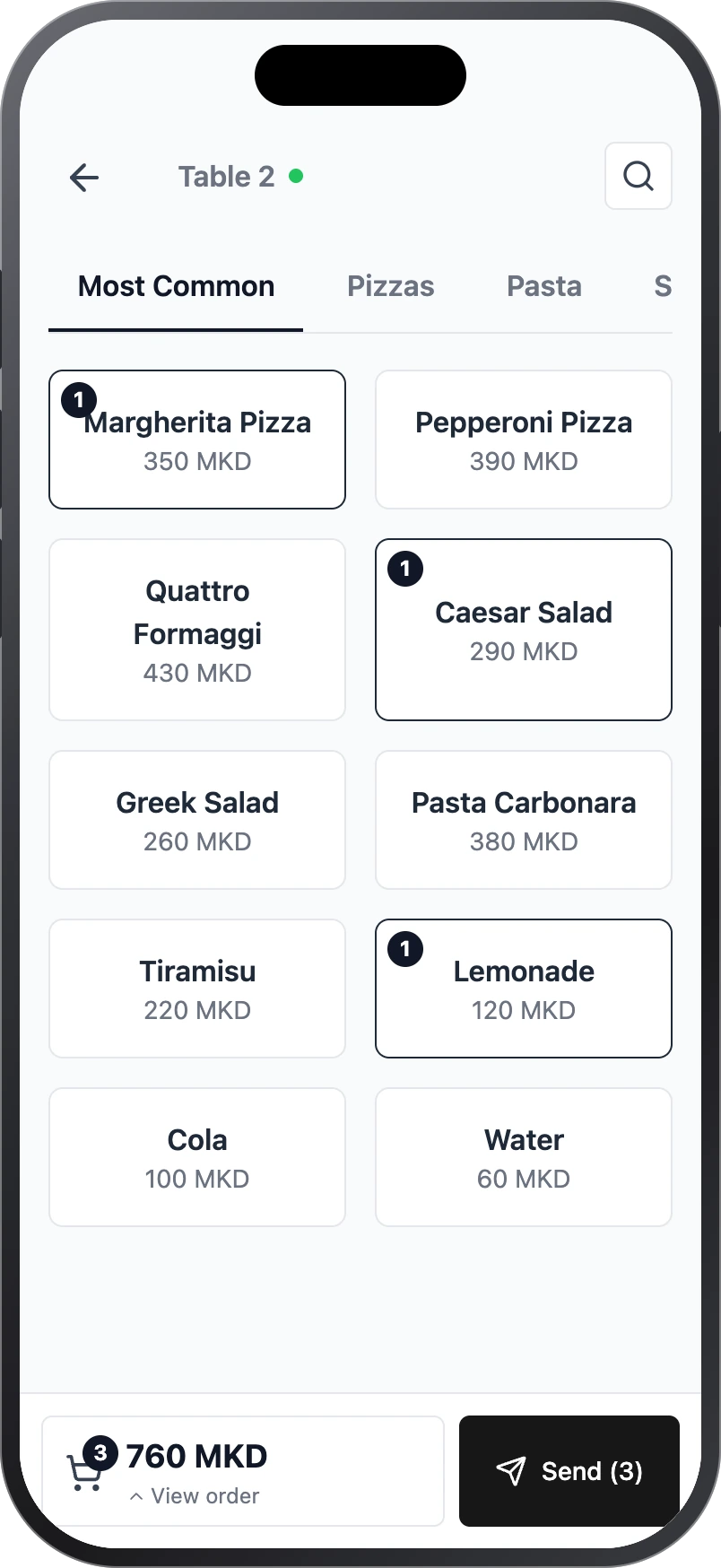
The floor map is live, and the order is built by touch.
- The map shows which tables are free, occupied or have a ready item.
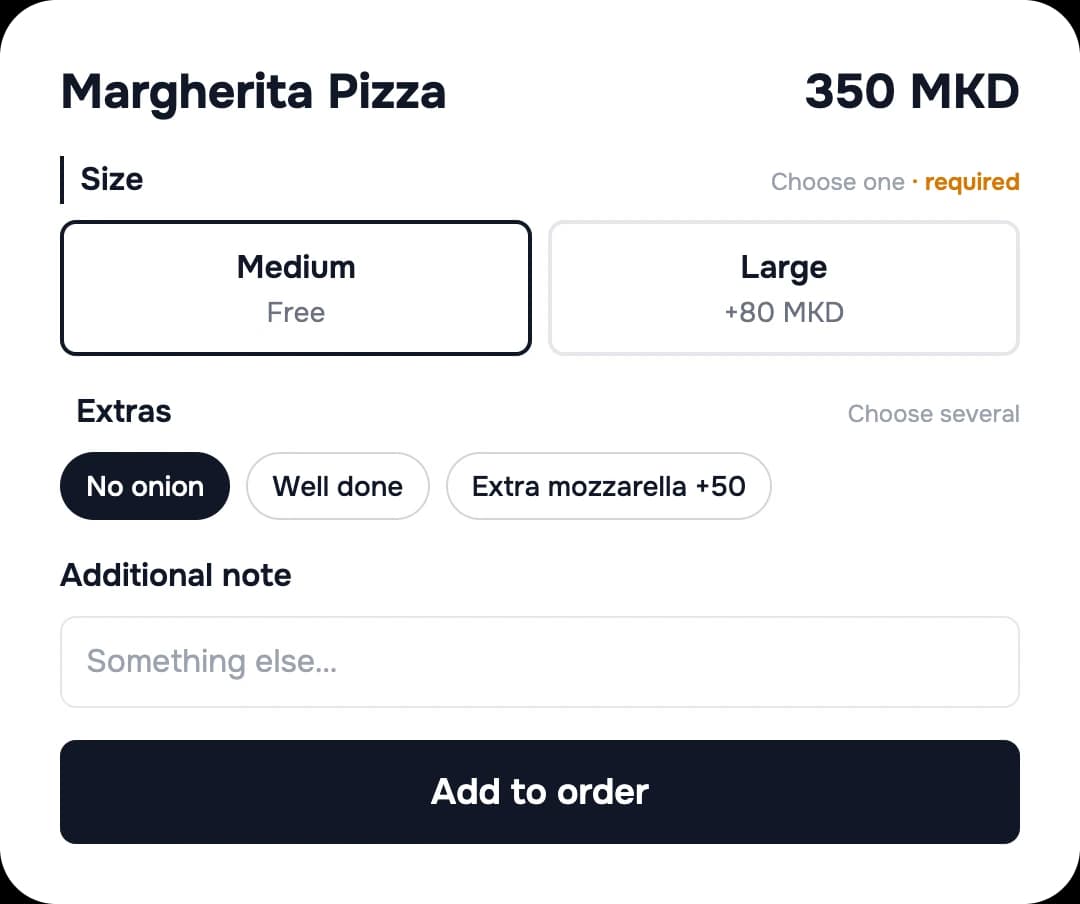
- Categories, variants, extras and notes — by touch.
- “Send” sends the order straight to the kitchen.
Good to know: We draw the map to match your floor.
03Several tables
Many orders — one pair of hands
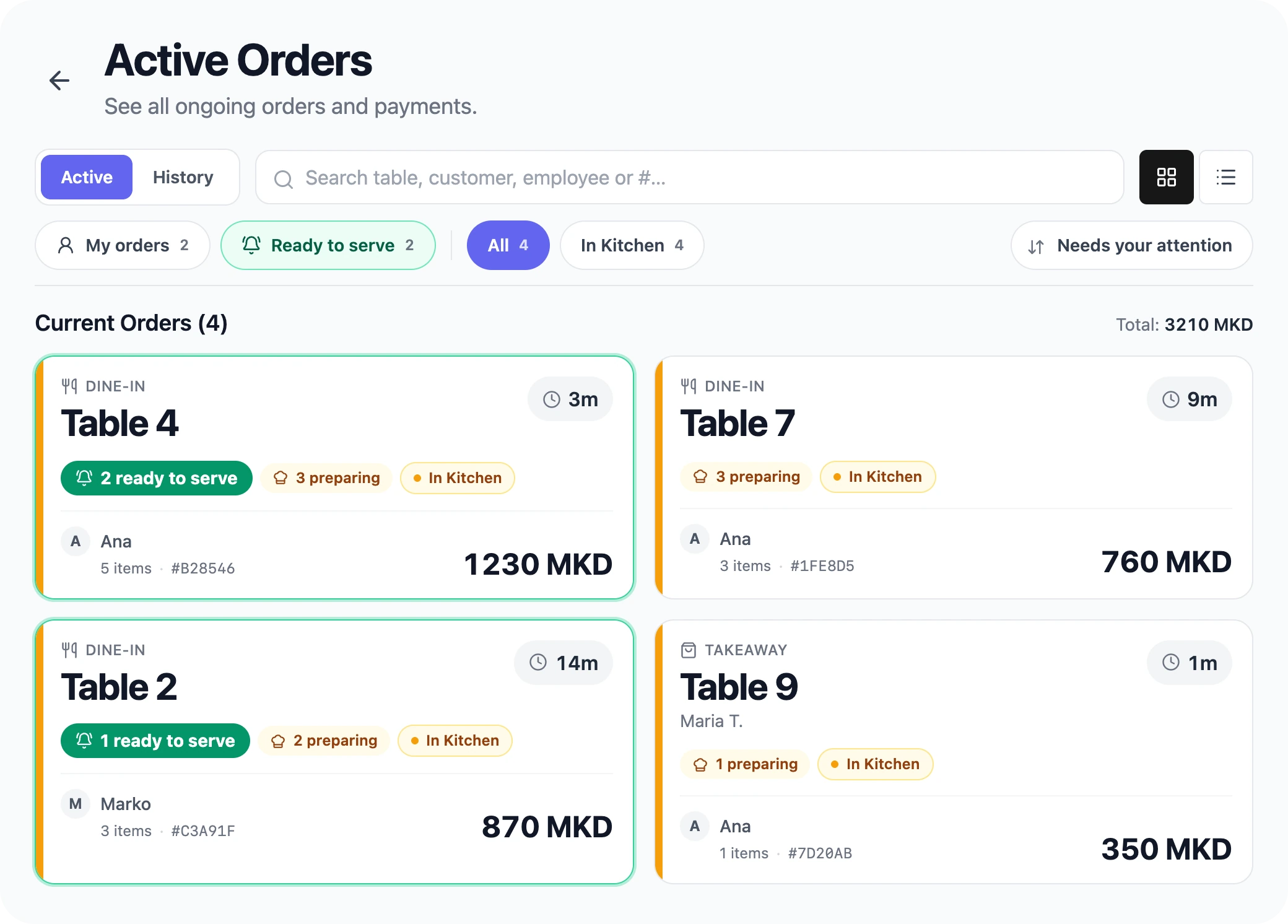
A waiter runs several open orders at once.
- A “My orders” filter and a status per table: ready to serve and preparing.
- When the kitchen finishes an item, the waiter is notified.
- Tables can be assigned to a waiter — “Mine” or a colleague's.
04When it's busy
Quick fixes on the floor
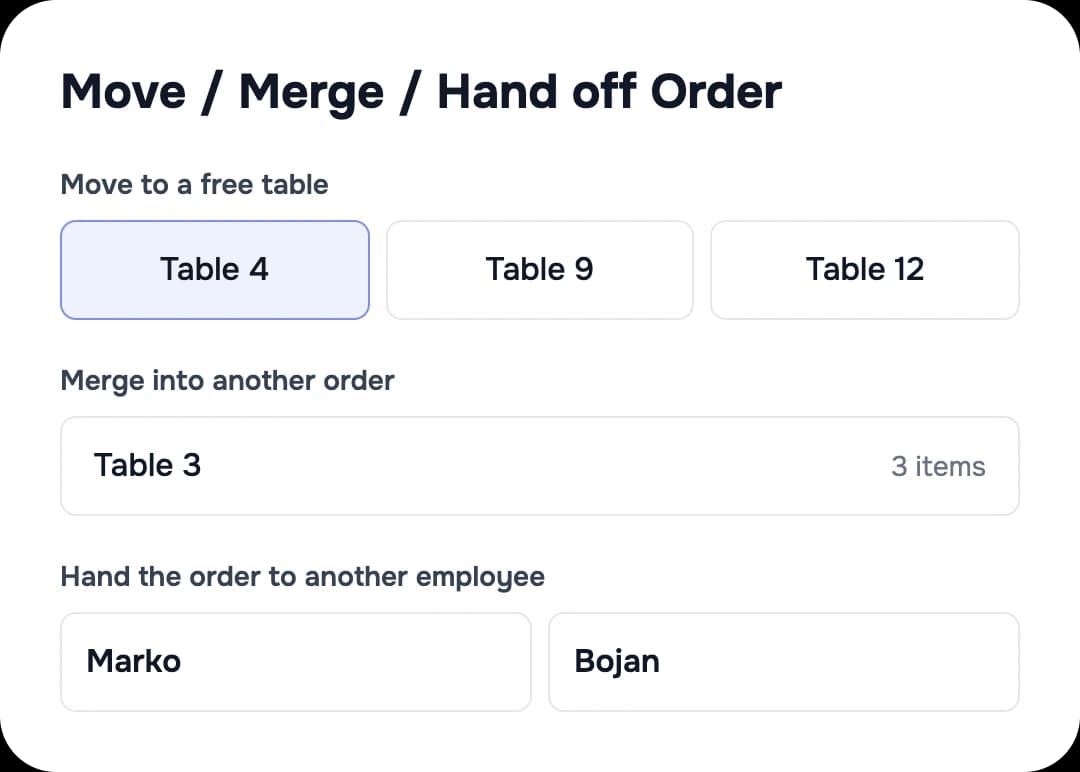
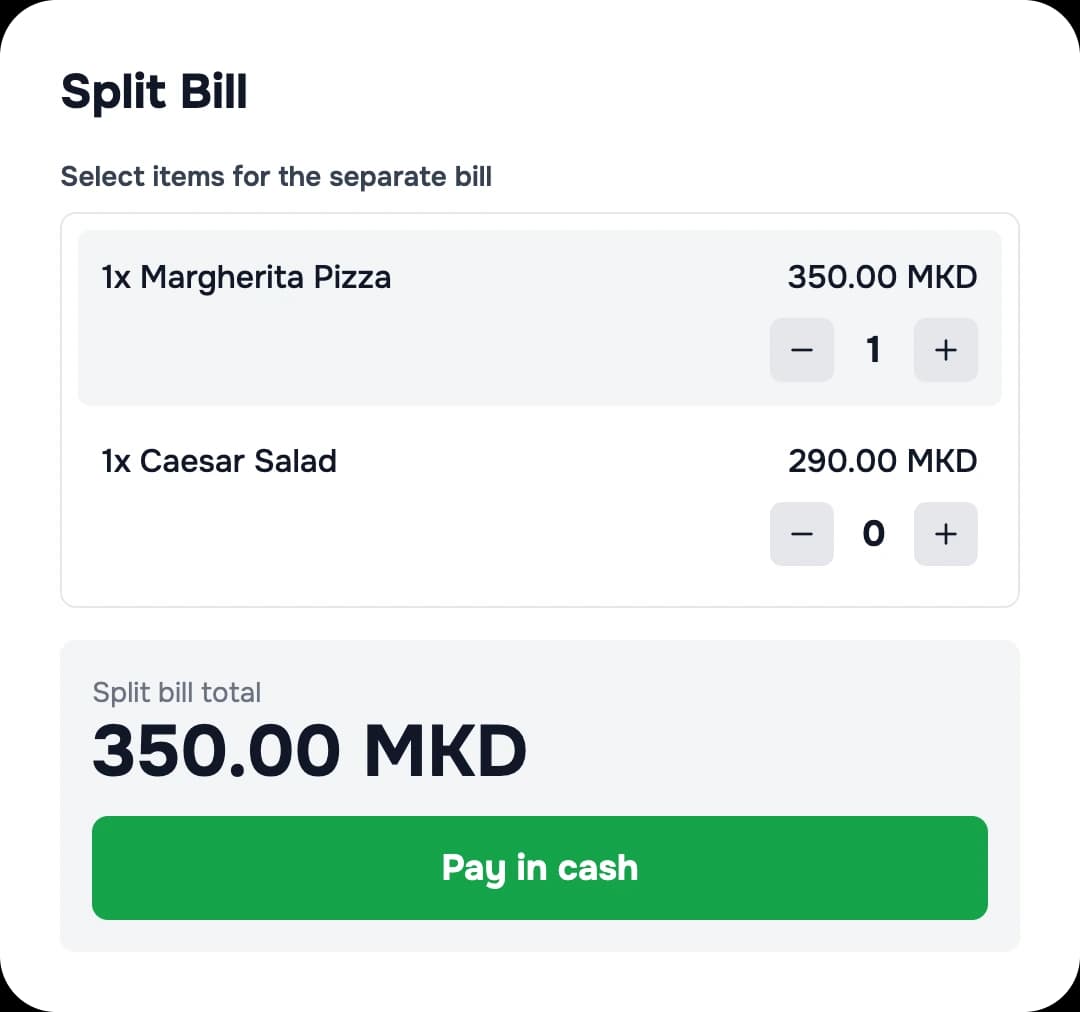
Move, merge and split without interrupting service.
- Move an order to another table, merge two, or hand it to a colleague at a shift change.
- Split by item: each guest pays their own.
- Required choices, paid and free extras and quick notes that reach the kitchen clearly.
05Kitchen and bar
A kitchen without shouting
Each station sees only its own part.
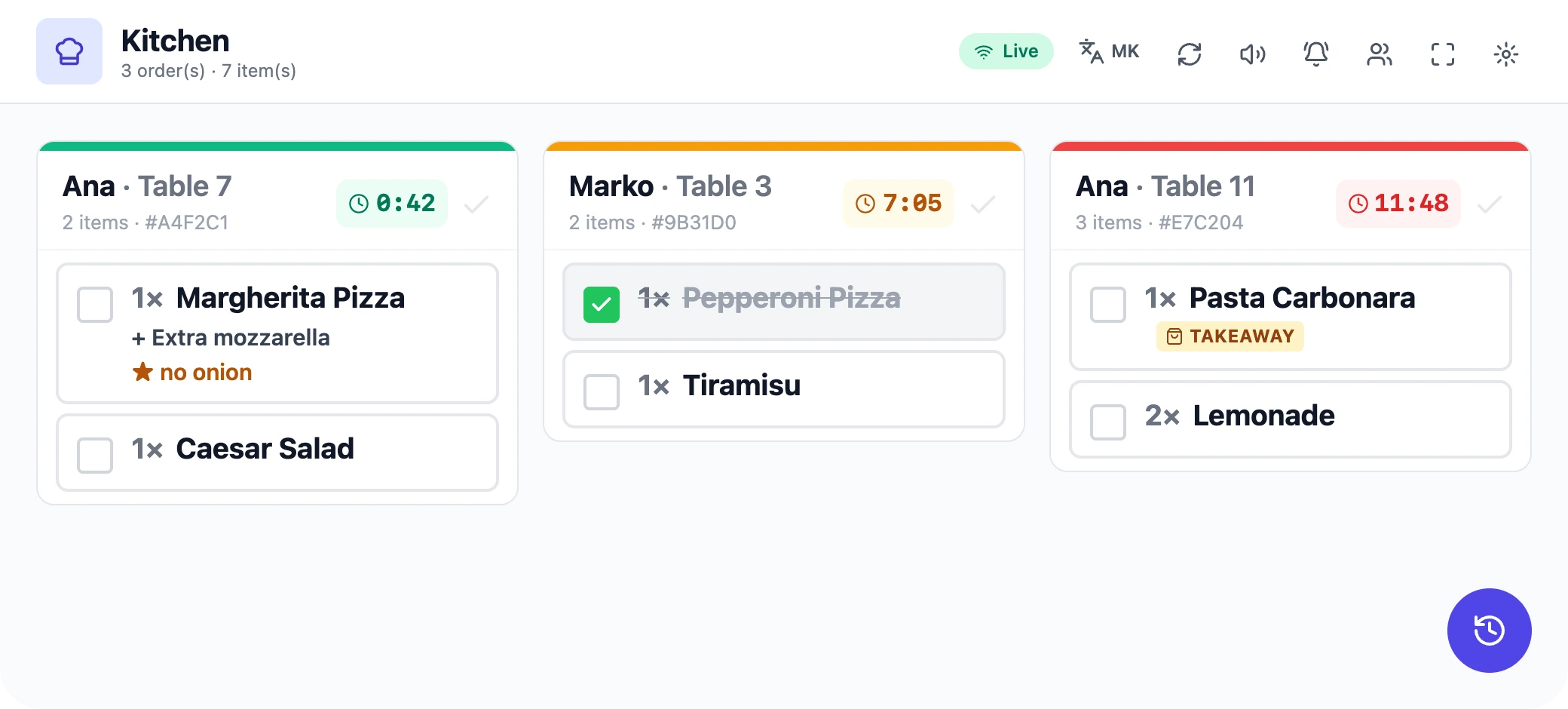
- A screen per station (kitchen, bar…) with a timer per ticket: green → amber → red.
- “Mark ready” — the waiter is notified straight away.
- If a screen disconnects, it reconnects by itself and warns you.
- If a printer fails, the system retries and tells you.
Good to know: The kitchen display and printing run through the local server in your venue.

06Payment and fiscal
Payment, receipt and the daily close
From change to the Z report — all at the till.
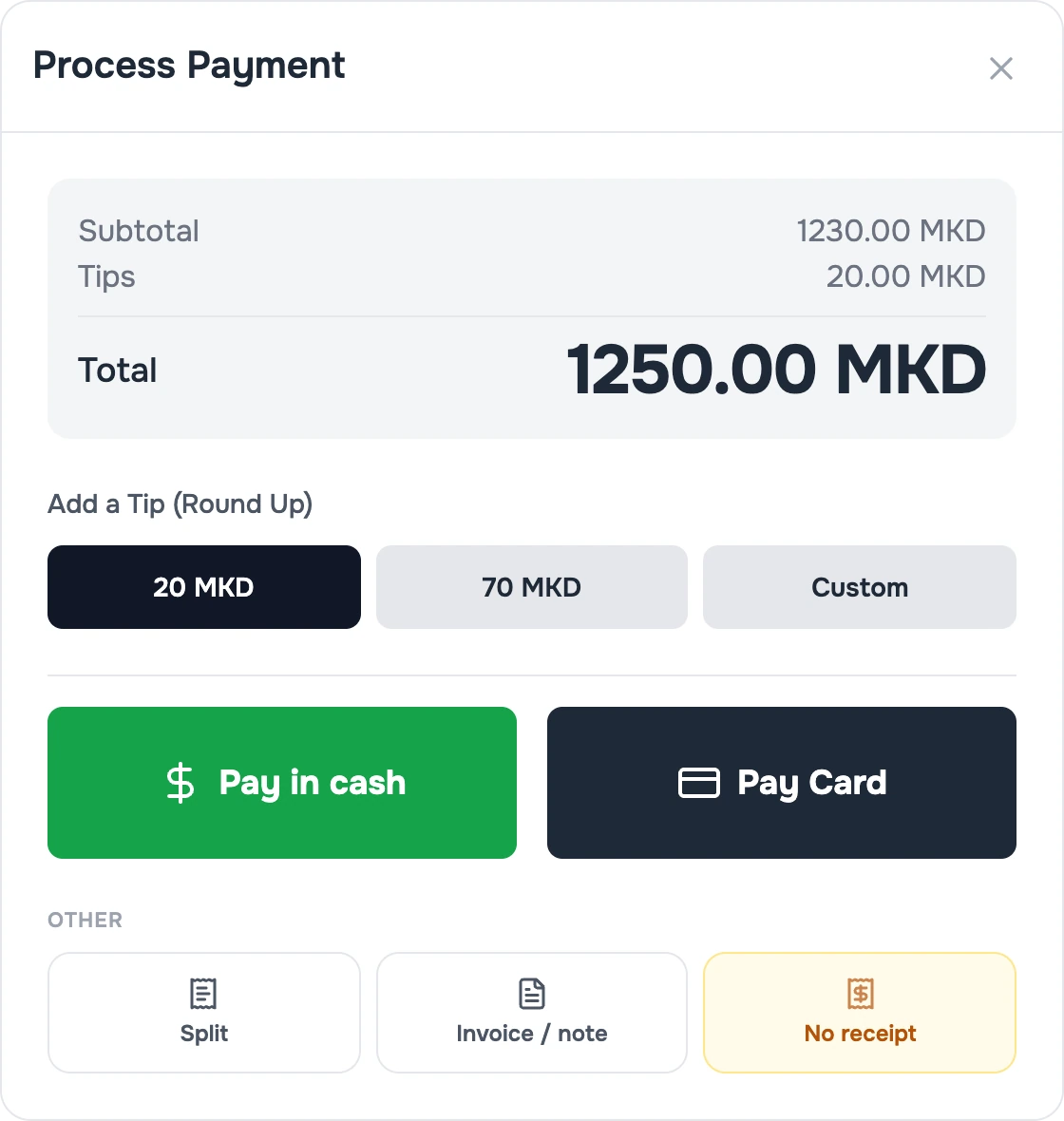
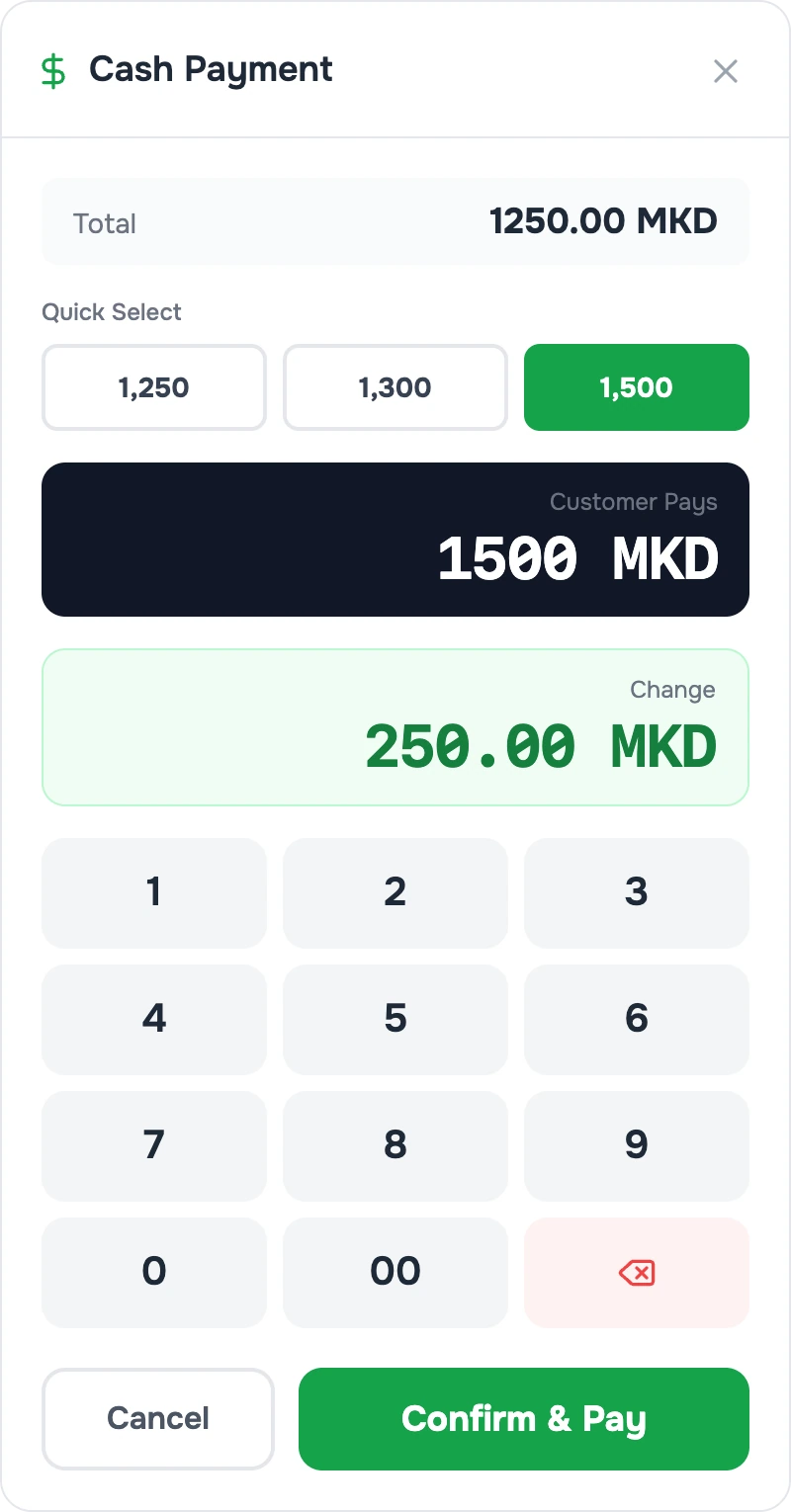
- Cash (with a change calculator) or card, tips and split bills.
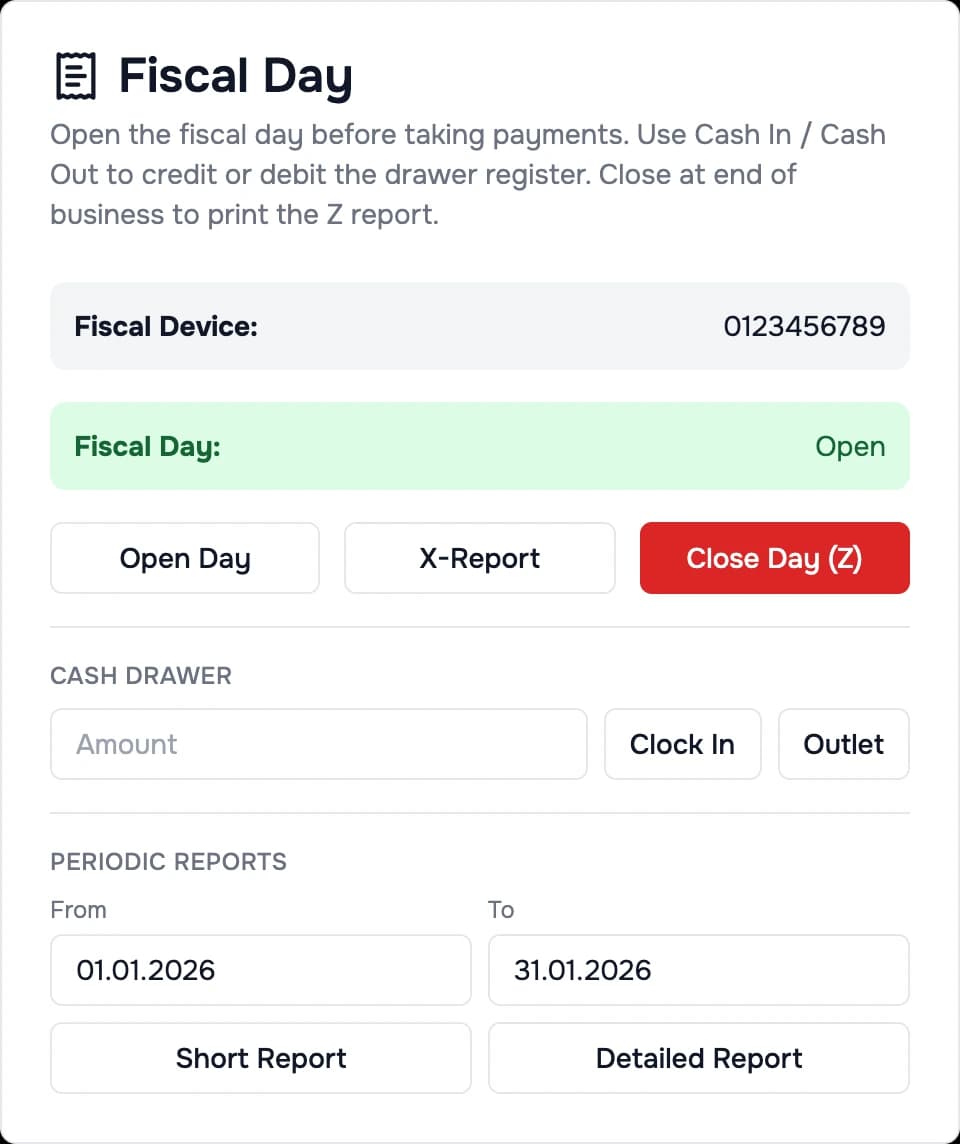
- A fiscal receipt through your fiscal device; X report and Z close in “Fiscal Day”.
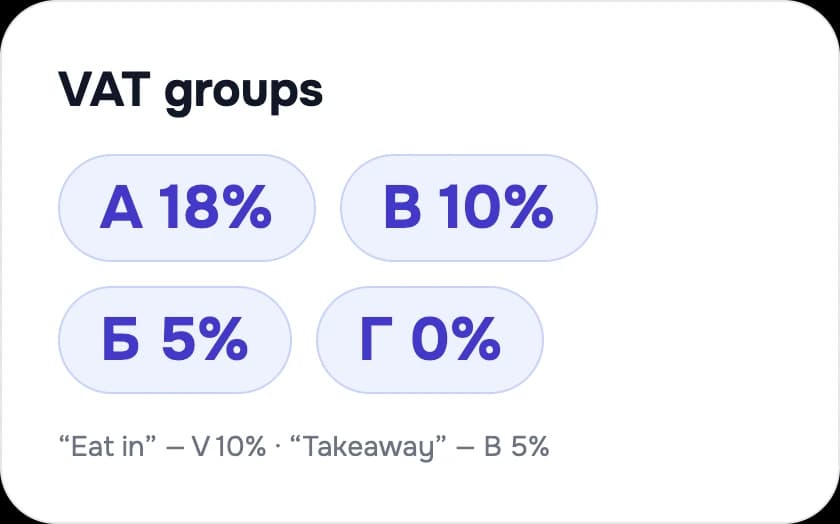
- A different VAT rate for “eat in” and “takeaway”.
- Invoices and delivery notes with their own numbering.
Good to know: The Accent Synergy P700 fiscal device is supported; for other devices we check before the quote.
07Guests
Guests order by themselves — from the table
QR ordering, pickup orders and reservations.
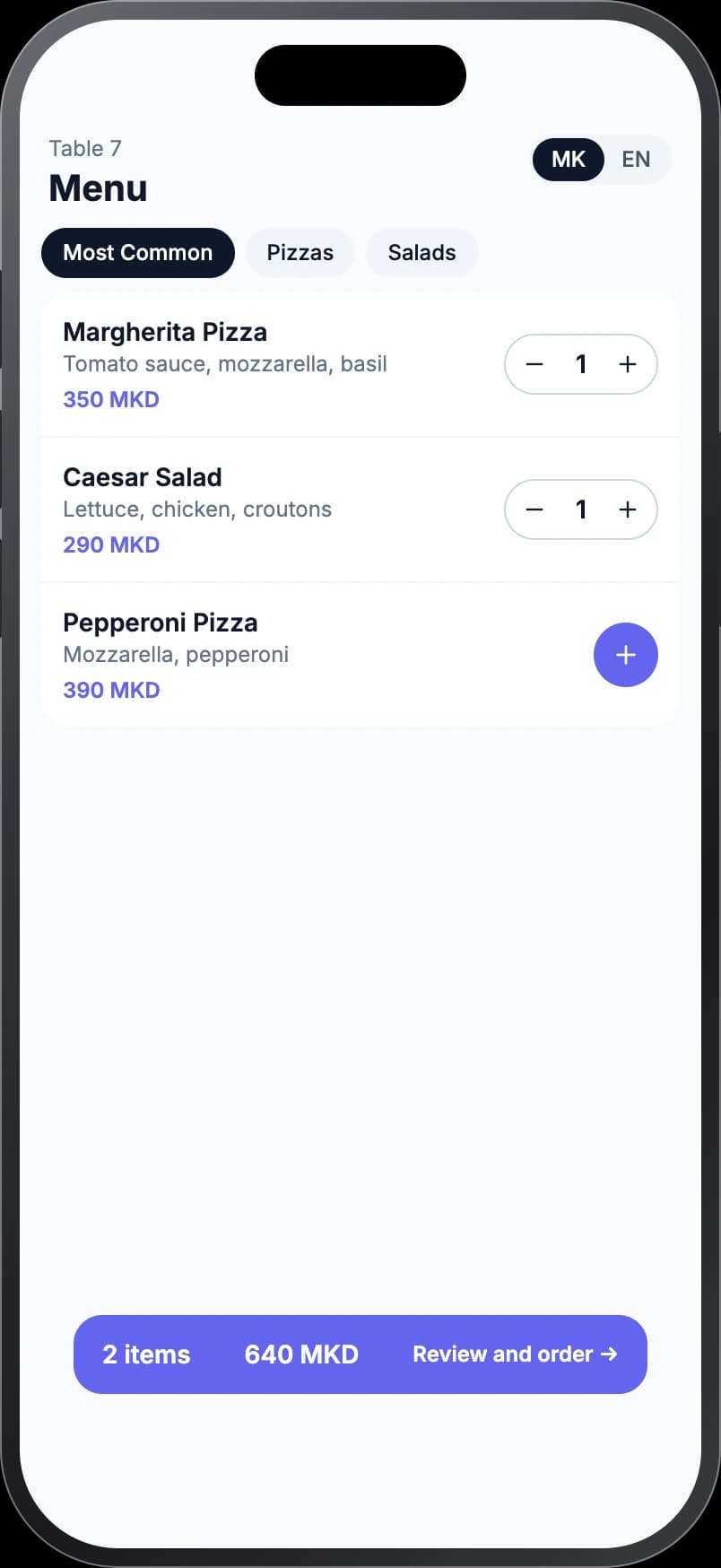
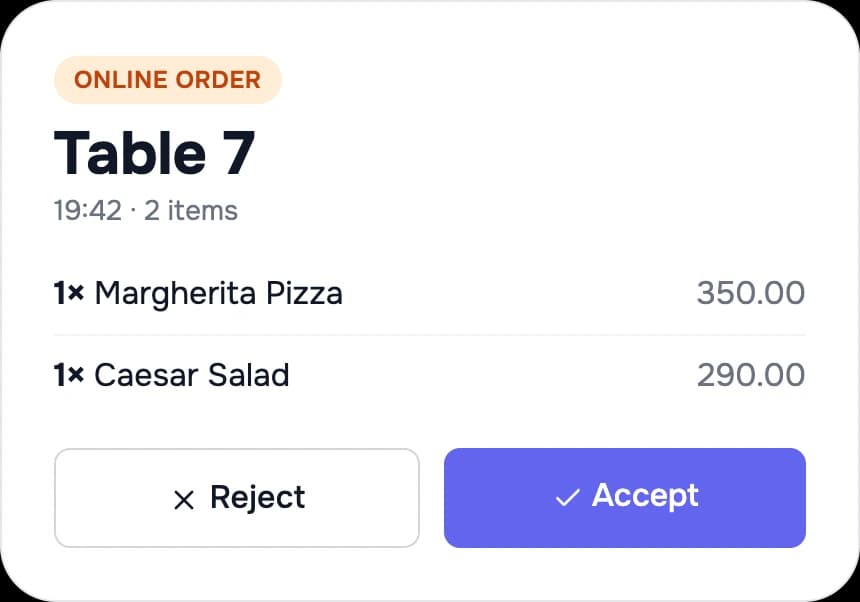
- The guest scans a QR code — no app, in Macedonian or English; staff accept or reject the order.
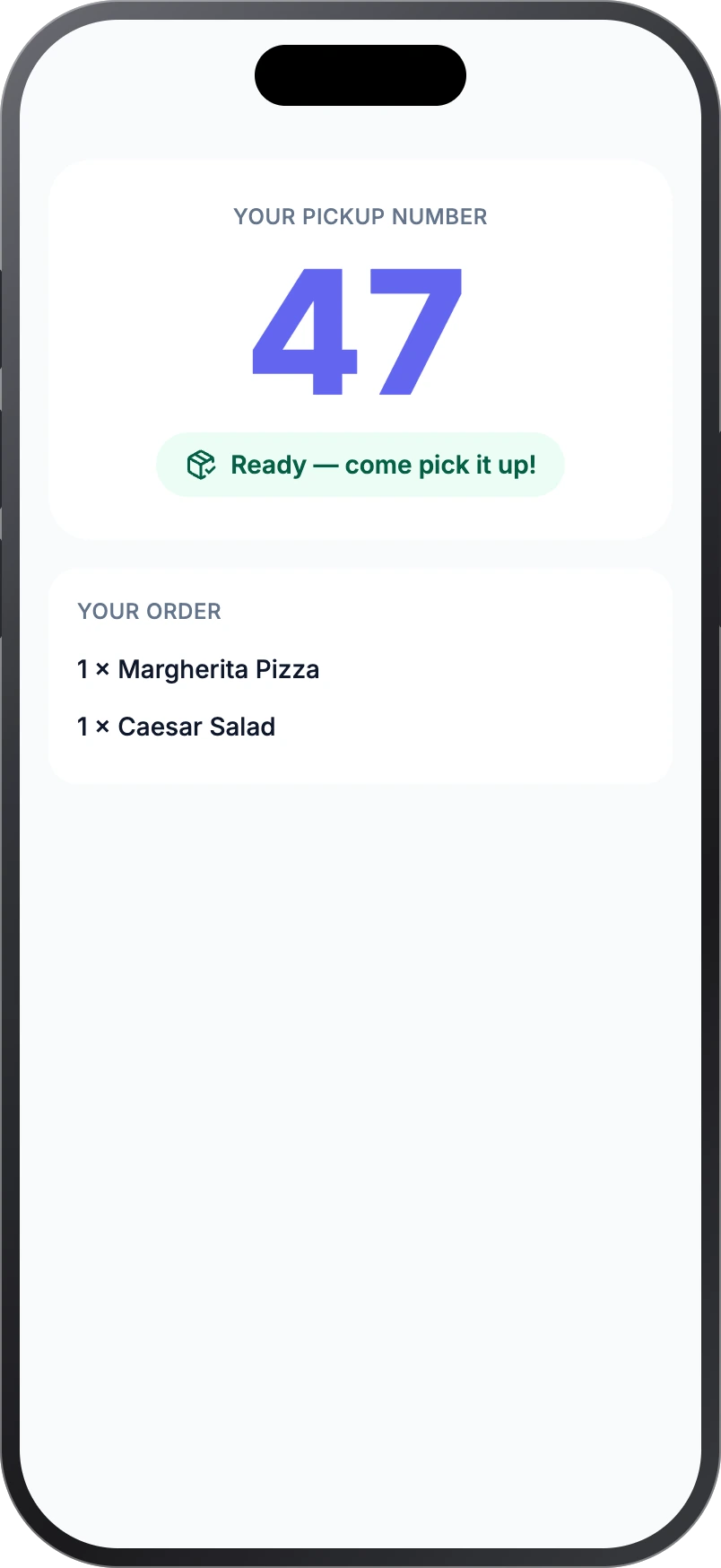
- Pickup order: the guest gets a number and a live status, and pays at the till.
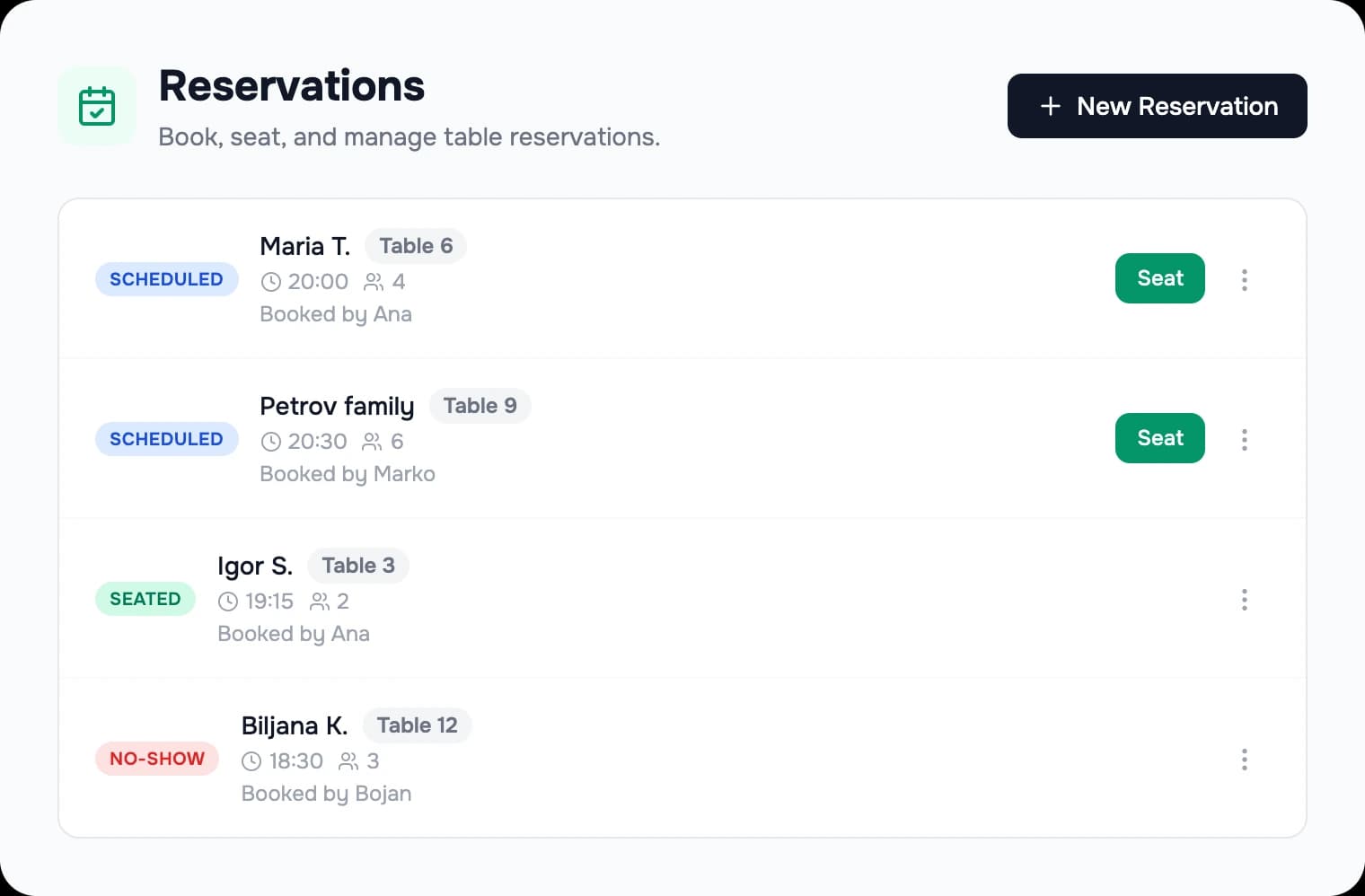
- Reservations: entered by staff and visible to the owner in the dashboard.
Good to know: QR ordering and pickup orders are switched on for your venue on request and use the internet. Guests don't pay online — they ask the waiter for the bill.
08Calls
A customer known from the first ring
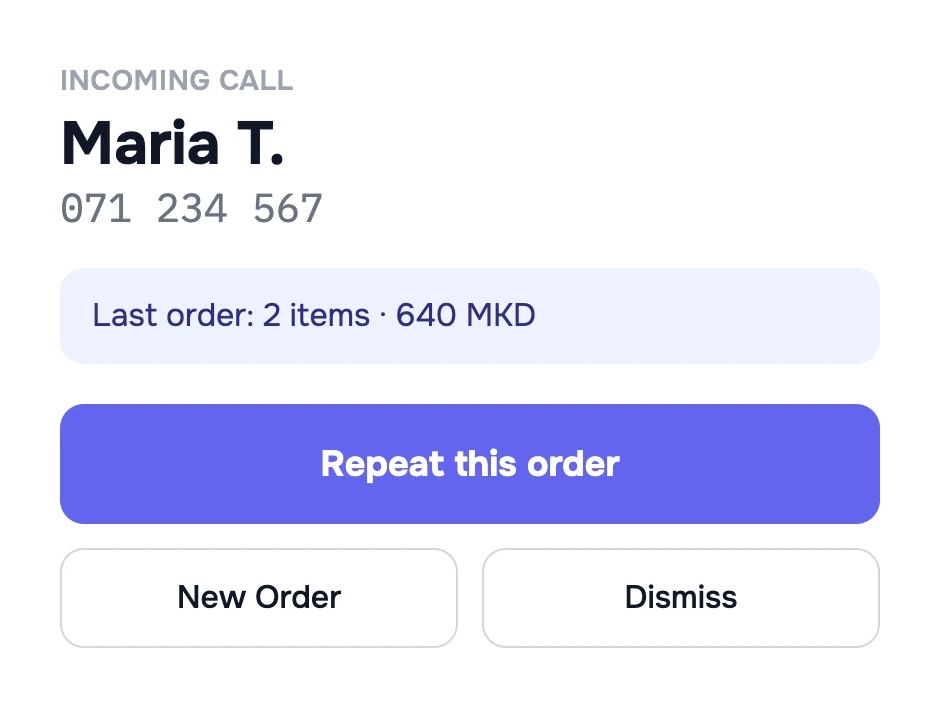
Caller ID for orders by phone.
- When a call comes in you see the customer and their last order.
- Repeat it in one tap, or start a new one.
Good to know: Needs a phone line and an Android phone (10 or newer) connected to Mesa; switched on on request.
09Owner
The whole venue on your phone
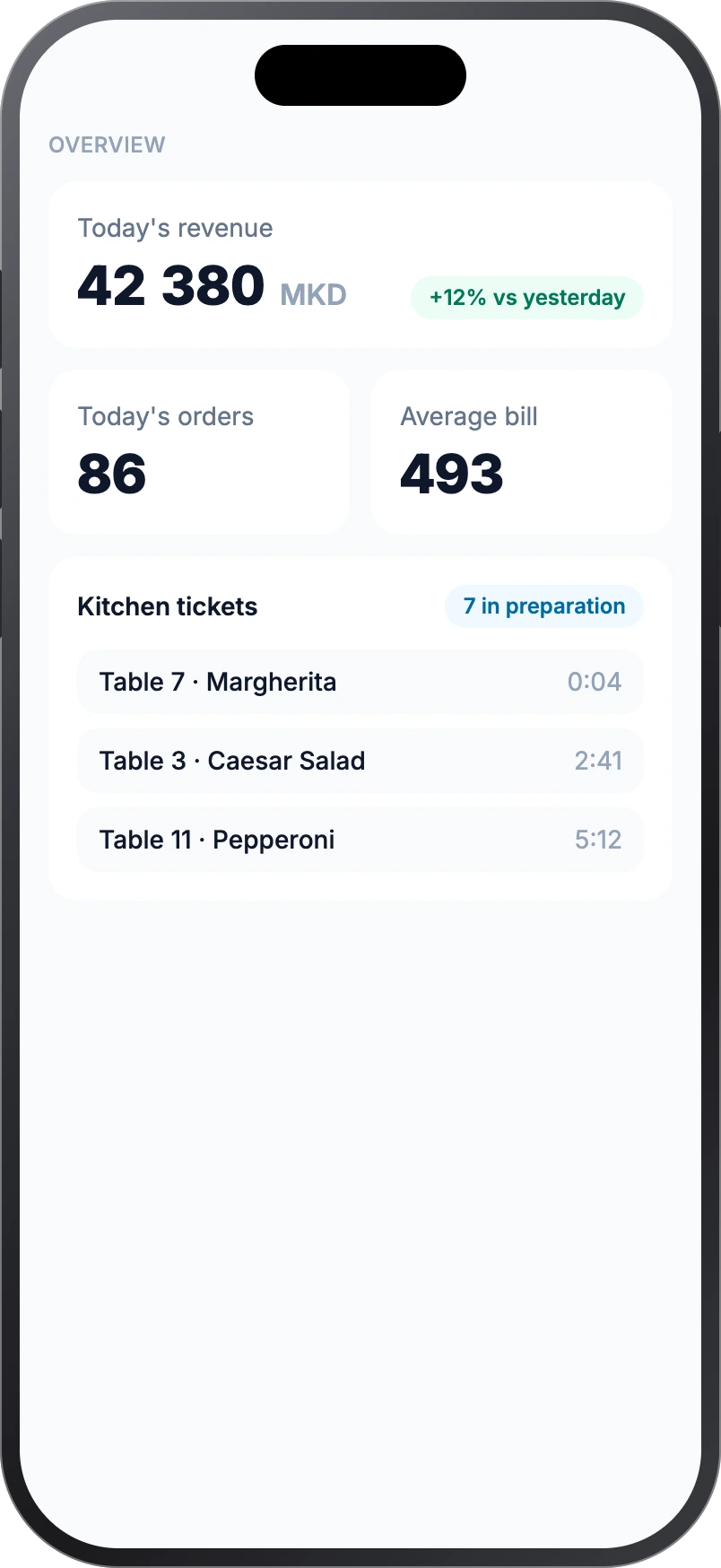
What's happening in the venue, without being there.
- Revenue, orders and average bill today — against yesterday.
- Kitchen tickets: what is being cooked right now, by table and waiter.
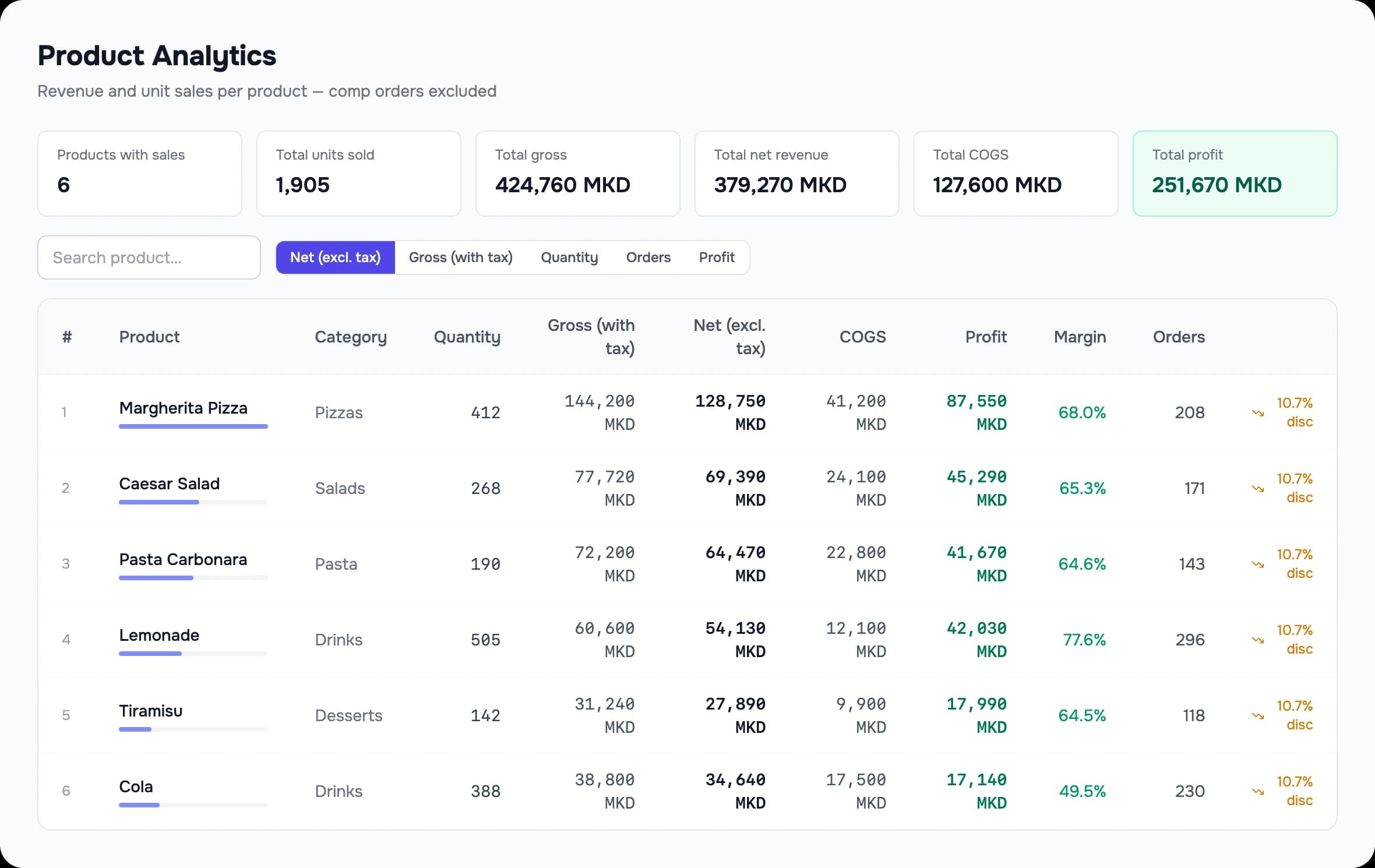
- What sells and what doesn't — with margin per product.
- Change prices and menus from your phone: the change reaches the terminals.
Good to know: Remote viewing uses the internet.
10Stock and purchasing
Know what's on the shelf
From barcode to draft order.
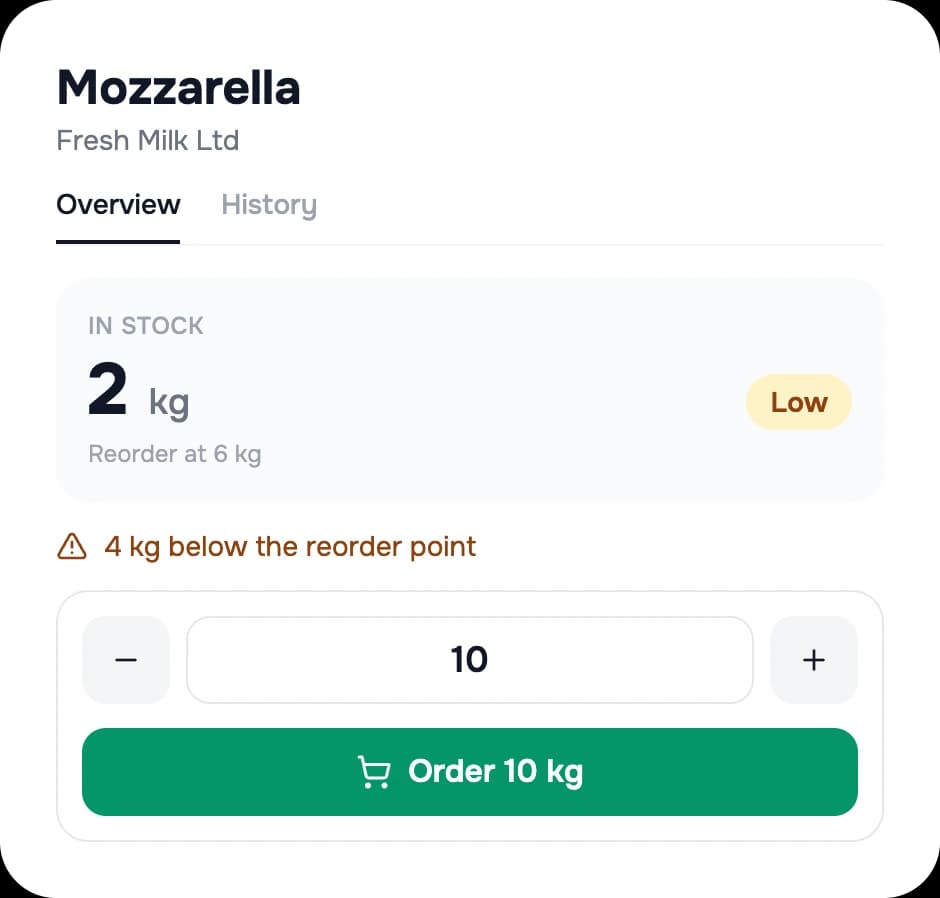
- Scan a barcode — with a scanner or a phone camera — and see how much is left.
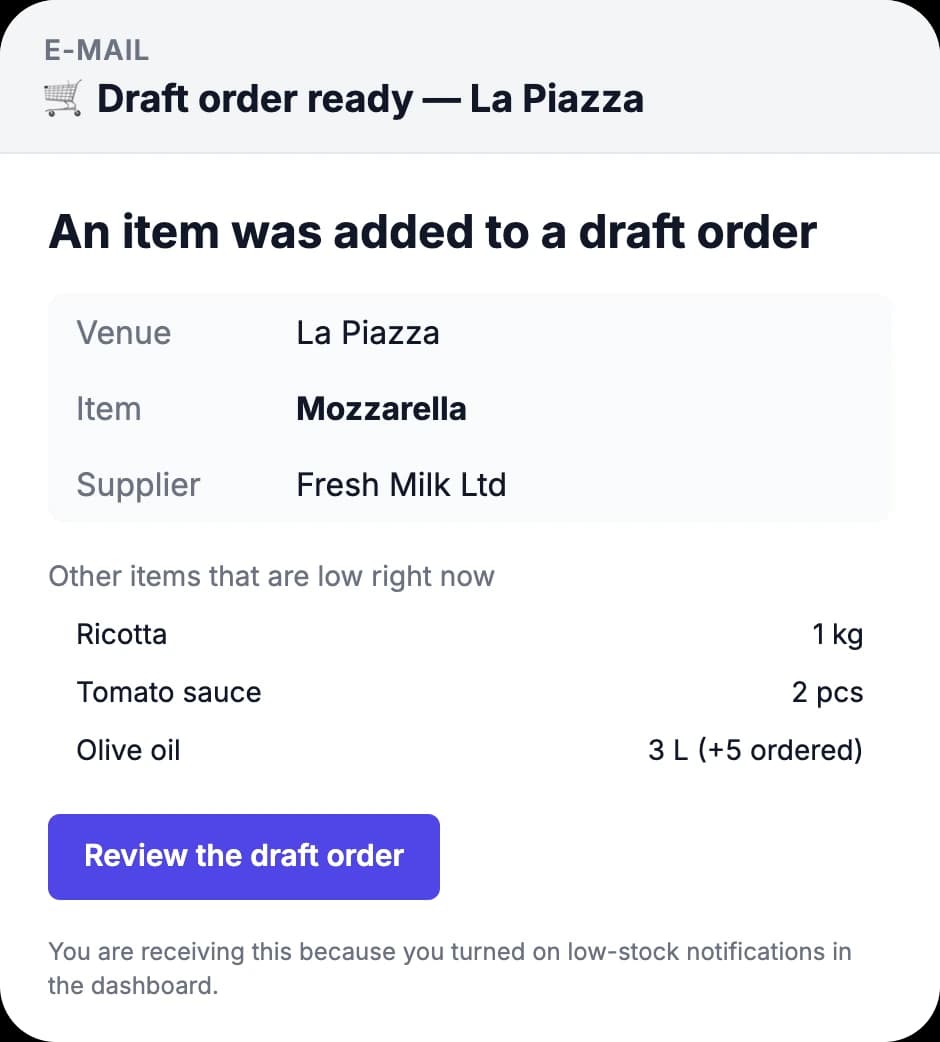
- Running low? Reorder with one tap — it becomes a draft order for the supplier.
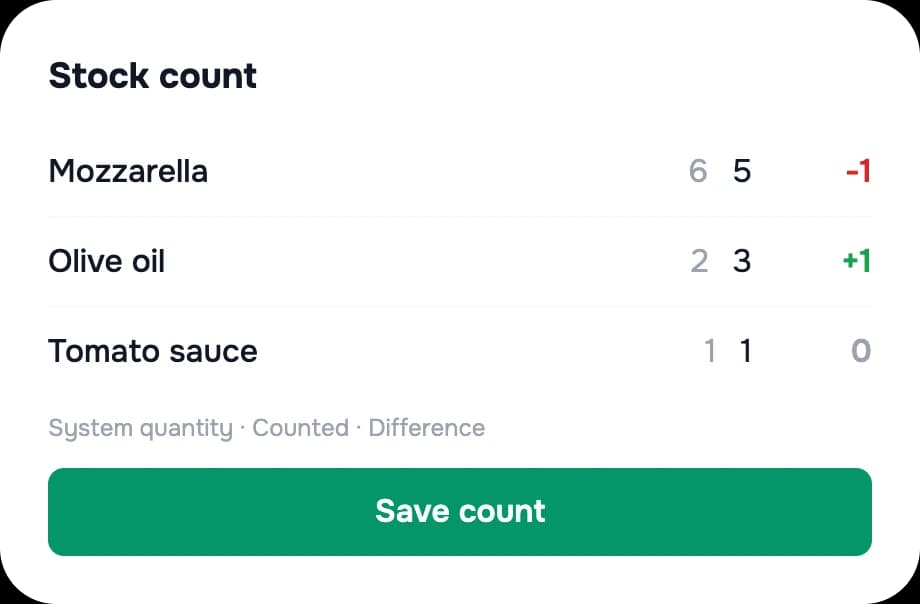
- Count by scanning: you see the difference before you save.
- An e-mail when an item reaches its threshold and when something runs out.
Good to know: Scanning creates a draft order — it doesn't order directly from the supplier.
11People and control
Clear rules, a clear picture
Rules you set once and a trail for every change.
- Staff meals: you set the rules once; at the end of the shift — cash or a record against the employee.
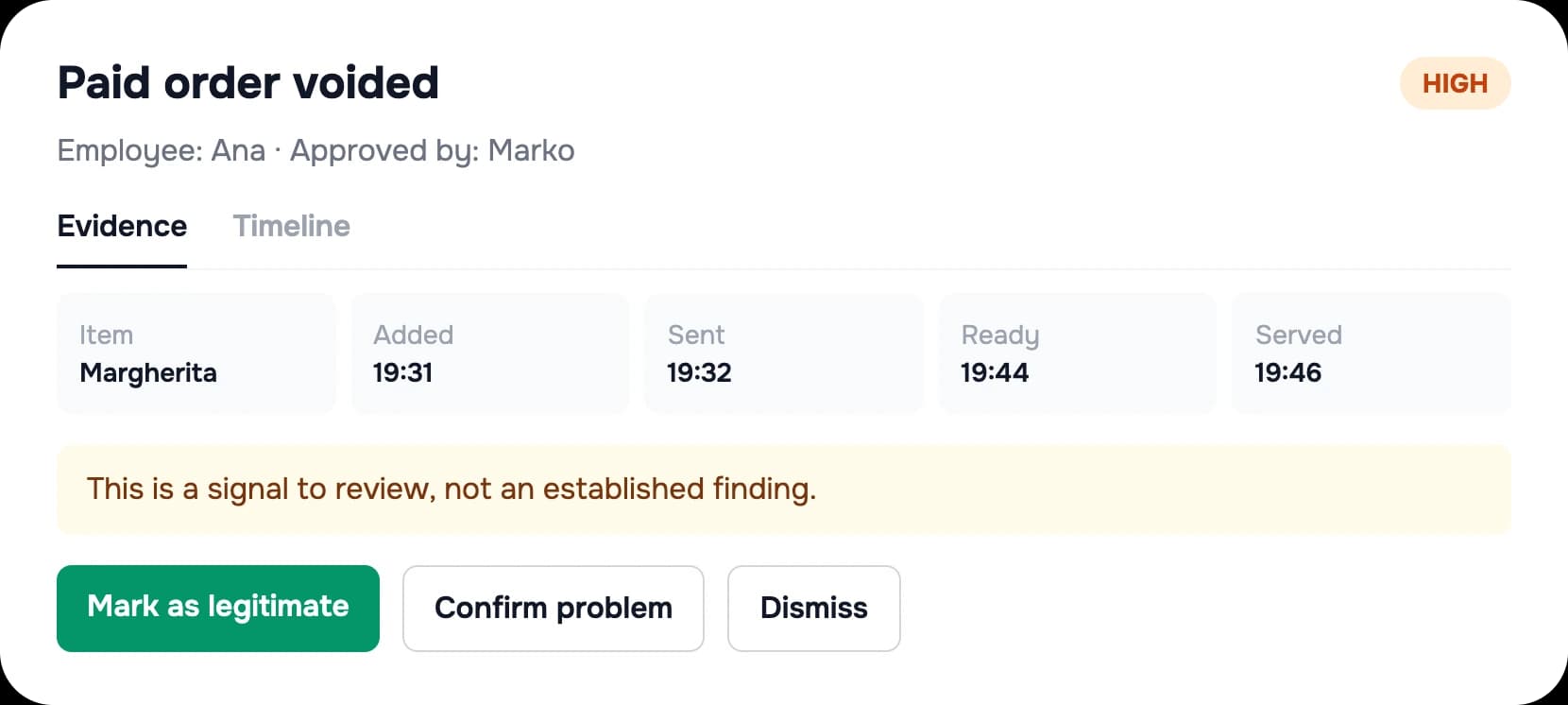
- Activity log: voids, discounts, moves — who, when and who approved.
- Anomalies: signals to review — never an automatic verdict.
Good to know: The owner records any salary deduction — the system doesn't apply it automatically.

12Platform
Local server, cloud and multiple venues
How the system is set up behind the screens.
- The till, kitchen and printing run through a local server in your venue, so you keep selling when the internet drops.
- The cloud is for reports and remote viewing; data syncs as soon as the connection returns.
- One venue or several — from one login, with permissions per employee.
- The whole system is in Macedonian and English, in denars.
Good to know: QR ordering and remote viewing use the internet.
Want to see it with your menu?
Book a demo — we'll show you the system with your products.